Windows XP Windows 7 Windows 2003 Windows Vista Windows 綜合教學 Linux 系統教學
Windows 10 Windows 8 Windows 2008 Windows NT Windows Server 電腦軟體教學
您现在的位置: Windows教程網 >> Windows教程 >  >> Windows 綜合教學 >> 關於 Windows

Win10 安裝 XAMPP 後 Apache 無法啟動?修改 httpd.conf 端口避開 80/443 衝突

編輯:關於 Windows

Windows 10 全新安裝 XAMPP 後,Apache 模組啟動失敗,錯誤日誌提示「Port 80/443 被佔用、權限不足、崩潰或被其他方式關閉」。主因是 Windows 10 系統服務(World Wide Web Publishing Service / IIS / BranchCache)預設佔用 80/443 埠。修改 Apache 設定檔將監聽埠改為未被佔用的替代埠(如 8080/8443 或 82/4433)即可解決。
診斷步驟

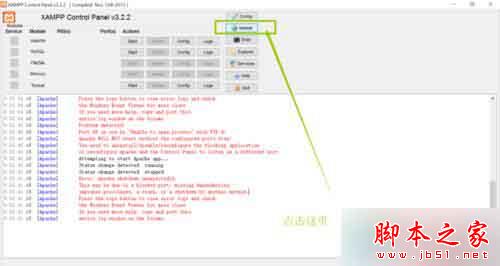
  1. 開啟 XAMPP 控制面板 → 點選 Netstat 按鈕,查看埠佔用情況。
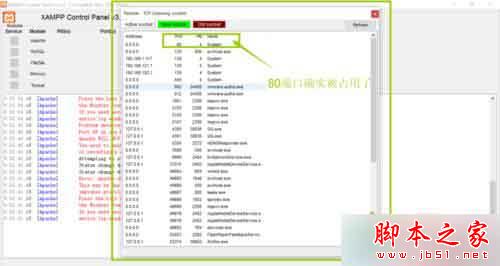
  2. XAMPP Netstat 埠佔用檢視

    Netstat 詳細清單

  3. 確認 Port 80 被 System (PID 4) 佔用,Port 443 可能被 vmware-hostd.exe 或其他服務佔用。

修正 Apache HTTP 埠 (Port 80 → 82/8080)

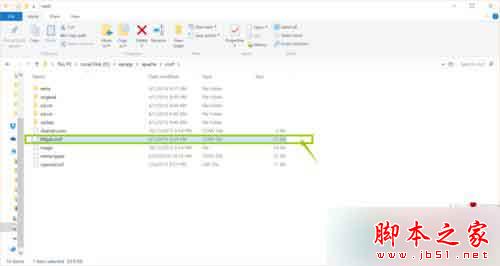
  1. 編輯 C:\xampp\apache\conf\httpd.conf(路徑視安裝位置調整)。
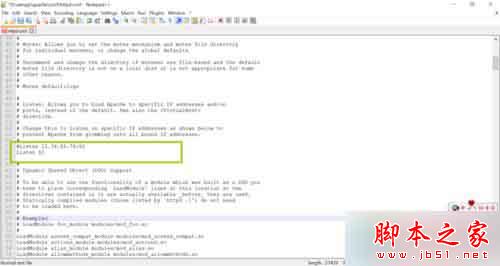
  2. 搜尋並修改三處 80 為 82(或 8080、8888 等未被佔用埠):
  • Listen 80 → Listen 82
  • ServerName localhost:80 → ServerName localhost:82
  • <VirtualHost *:80> → <VirtualHost *:82>
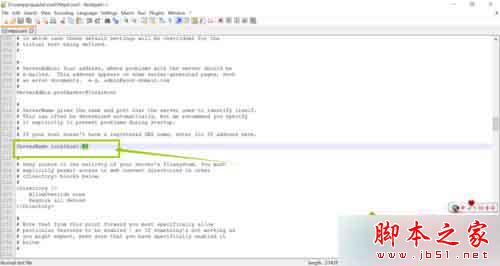
httpd.conf Listen 80→82

httpd.conf ServerName 80→82

httpd.conf VirtualHost 80→82

修正虛擬主機埠 (如有自訂 vhosts)

  1. 編輯 C:\xampp\apache\conf\extra\httpd-vhosts.conf。
  2. 將所有 :80 修改為 :82(含 NameVirtualHost *:80、<VirtualHost *:80>)。
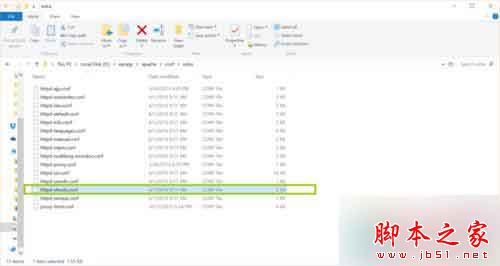
  3. httpd-vhosts.conf 修改埠

修正 HTTPS 埠 (Port 443 被佔用時)

  1. 編輯 C:\xampp\apache\conf\extra\httpd-ssl.conf。
  2. 找到 Listen 443 → 註解或修改:#Listen 443 或 Listen 4433。
  3. 同檔案內 <VirtualHost _default_:443> → <VirtualHost _default_:4433>。
  4. ServerName www.example.com:443 → ServerName www.example.com:4433。
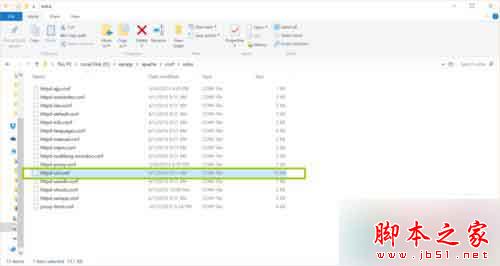
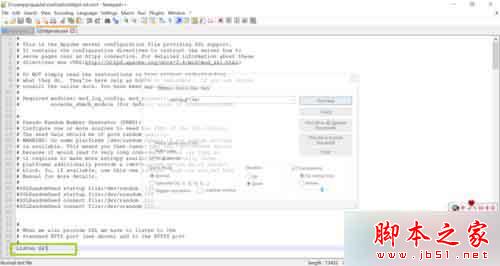
httpd-ssl.conf Listen 443 註解

httpd-ssl.conf VirtualHost 443→4433

驗證啟動

  1. 回到 XAMPP 控制面板 → 點選 Apache Start。
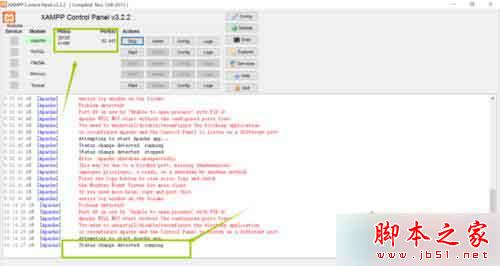
  2. 狀態顯示綠色 Running,Port 欄顯示 82, 4433(或您設定的埠),即表示啟動成功。
  3. XAMPP Apache 啟動成功

瀏覽器存取

  • HTTP:https://localhost:82/ 或 https://127.0.0.1:82/
  • HTTPS:https://localhost:4433/(需接受自簽憑證警告)
  • phpMyAdmin:https://localhost:82/phpmyadmin/

替代方案:停用佔用埠的系統服務

  • Win + R → services.msc → 找到 World Wide Web Publishing Service、BranchCache → 停用並設為「手動」或「停用」。
  • 若安裝了 IIS:控制台 → 程式與功能 → 開啟或關閉 Windows 功能 → 取消勾選「Internet Information Services」。
  • 停用後 Apache 可直接使用 80/443 埠,但會失去 IIS 功能。

修改 XAMPP Apache 設定檔埠號是最安全、不影響系統服務的解決方案,Win10 開發環境即刻就緒!

Copyright © Windows教程網 All Rights Reserved