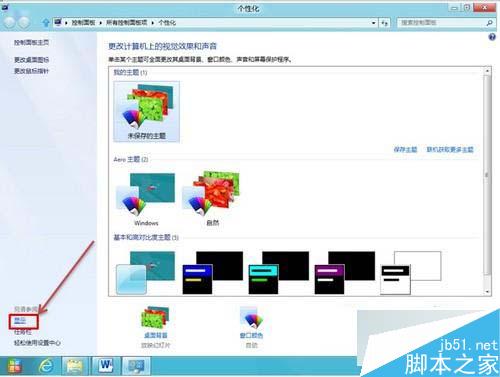
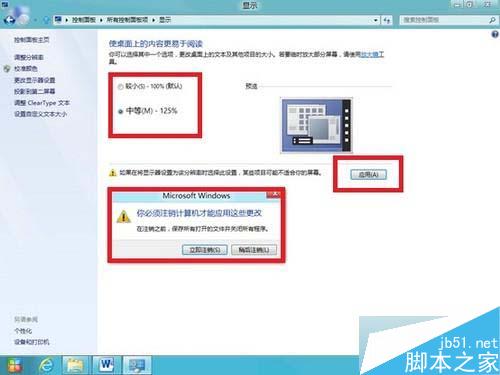
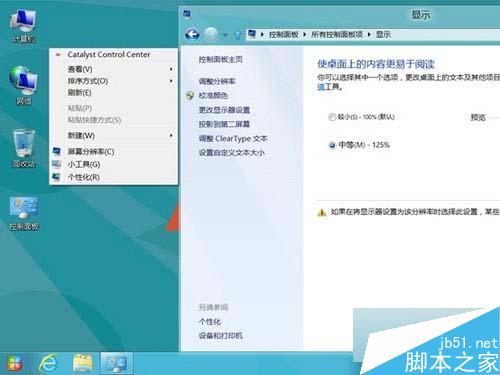
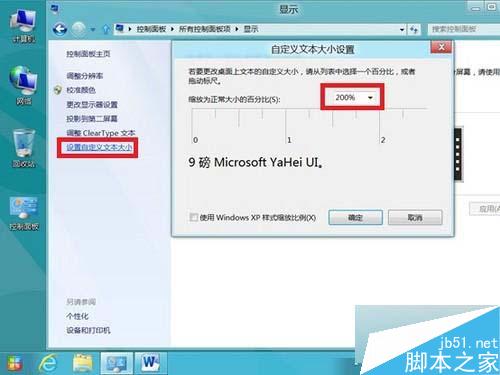
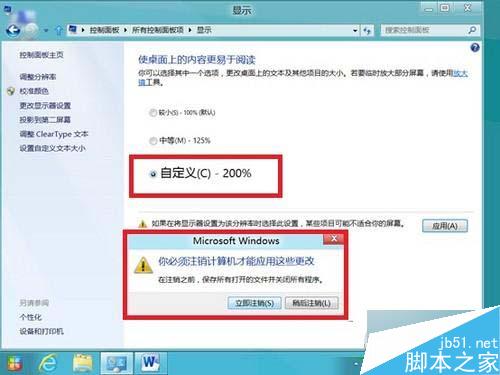
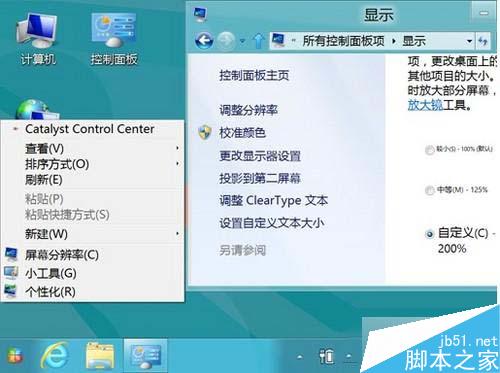
Win8 放大應用程式圖示與文字設定方法:
調整後圖示、文字、介面元素均依比例放大,適合高解析度螢幕或視力需求者。
Windows 10 查看隱藏檔案方法:檔案總管「檢視」索引標籤一鍵切換,或資料夾選項傳統設定
Win7 開機黑畫面只有滑鼠游標?Ctrl+Alt+Del 啟動工作管理器執行 explorer.exe 修復
XP系統刪除文件提示「您需要權限來執行此操作」的完美解決方案
Windows 8 切換回舊版工作管理器:執行 taskmgr 指令即可
Win7 系統檔案修復神技:sfc /scannow 掃描修復損毀系統檔,免重灌
Win8/8.1/10 藍屏代碼 bcmwl63a.sys 解決方案:博通無線網卡驅動修復全攻略
Win7 內建截圖工具秒找法:開始選單搜尋「截圖」
Win10 Build 9860 現神秘「zPC Setting」彩蛋,含 OEM、Deprecated 等調侃選項