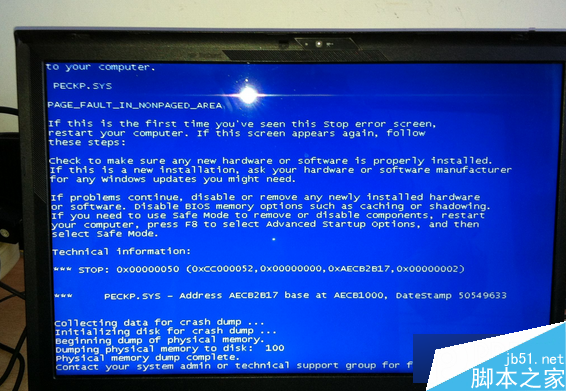
Win8 藍畫面常見原因與對策:
依序排查可解決大多數 Win8 藍畫面問題。
查看 WinXP 系統安裝年齡:systeminfo 指令顯示原始安裝日期
Windows 10 找回經典「Windows 相片檢視器」開啟圖片
Windows 8 右鍵選單遺失「新建」選項:權限修復三步驟找回
Windows 10 正式版下載連結滿天飛?小心假冒網站詐騙調查收益
Windows Server 2008 系統加固三大核心漏洞封堵實戰
Windows 7 語言列消失/設定修改教學:控制台地區語言啟用語言列、設定切換熱鍵
Win7 用 QQ 調試攝影機畫質、方向,免安裝額外軟體
Windows 10 帳號設定鬆綁:本地帳號也能享用大部分功能,微軟帳號成可選項