Win8.1 工作列音量圖示不見,恢復步驟:
若仍無效,檢查 C:\Windows\System32\sndvol.exe 是否存在(系統音量控制程式)。
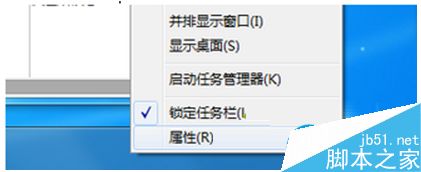
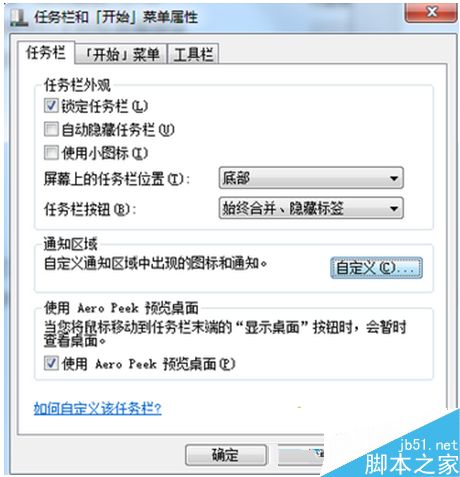
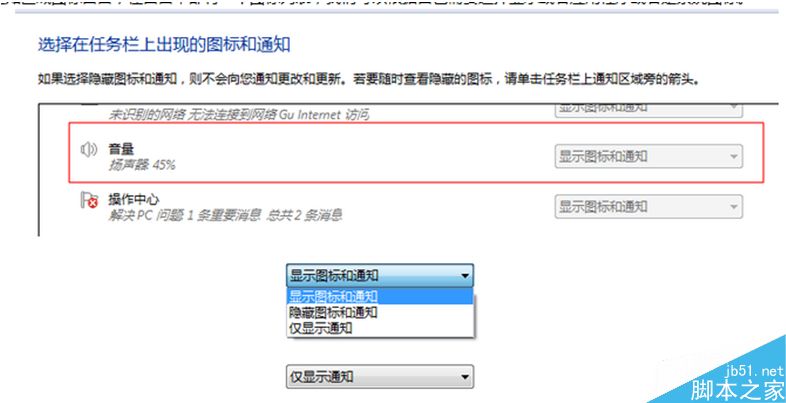
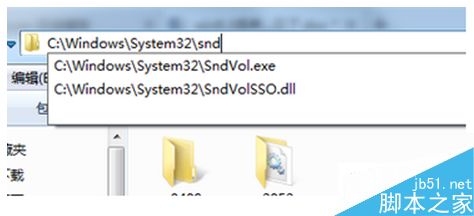
此問題常因系統圖示被誤設為隱藏或 sndvol.exe 損毀導致。
Win10 安裝 KB3116869 更新失敗 0x80004005?重置防火牆 + 批次重新註冊 DLL 徹底修復
Win8.1 雙顯卡玩 GTA4 獨顯識別失敗深度分析:AMD 刪漢化檔 + NVIDIA 獨顯補丁 + commandline 參數強制顯存
Windows 10 桌面出現多個「這台電腦」圖示?暫時解決方案與 Bug 分析
Win7 硬碟分區調整圖解教學:不需第三方工具,內建磁碟管理輕鬆搞定
Windows 7 64 位元無法開啟 CHM 檔案多媒體內容?以 64 位元 hh.exe 覆蓋 32 位元版本徹底解決