Windows XP Windows 7 Windows 2003 Windows Vista Windows 綜合教學 Linux 系統教學
Windows 10 Windows 8 Windows 2008 Windows NT Windows Server 電腦軟體教學
您现在的位置: Windows教程網 >> Windows教程 >  >> Windows 綜合教學 >> 關於 Windows

Windows 10 應用程式商店/應用閃退修復:PowerShell 重新註冊與代理設定檢查

編輯:關於 Windows

Windows 10 升級後應用程式商店無法開啟或應用閃退,PowerShell 重新註冊套件多數可修復:

修復步驟

  1. 工作列搜尋 PowerShell → 右鍵「以系統管理員身分執行」。
  2. 針對商店無法開啟: 輸入以下指令按 Enter:
$manifest=(Get-AppxPackage Microsoft.WindowsStore).InstallLocation+'AppxManifest.xml';Add-AppxPackage -DisableDevelopmentMode -Register $manifest
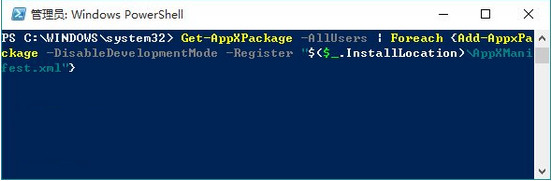
  1. 針對一般應用閃退/無法開啟: 輸入以下指令按 Enter:
Get-AppXPackage -AllUsers | Foreach {Add-AppxPackage -DisableDevelopmentMode -Register "$($_.InstallLocation)AppXManifest.xml"}
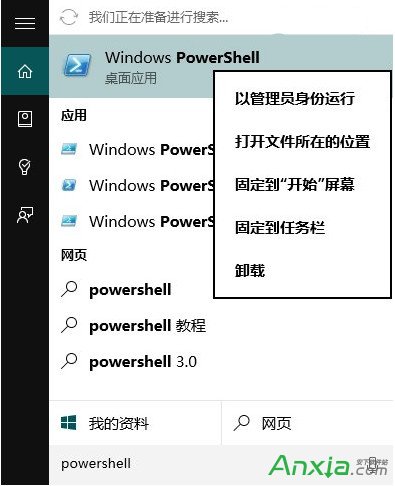
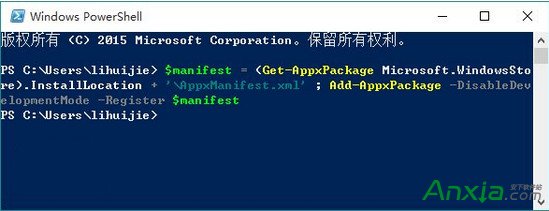
管理員 PowerShell

商店修復指令執行

應用修復指令執行

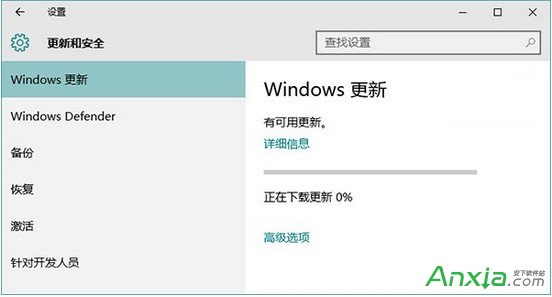
  1. 設定 → 更新與安全性 → Windows Update → 安裝所有偵測到的更新。

Windows Update 安裝更新

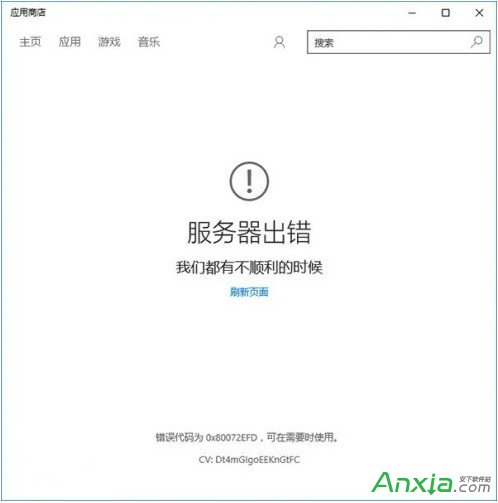
進階排除:商店提示 0x80072EFD 伺服器錯誤

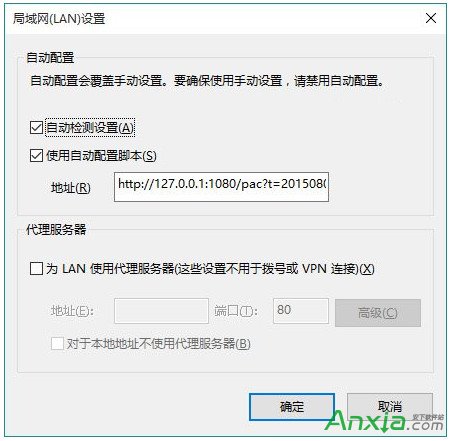
  • 可能為 IE 代理設定干擾:控制台 → Internet 選項 → 連線 → 「區域網路設定」。
  • 若「為區域網路使用 Proxy 伺服器」被勾選,取消勾選 確定。

商店 0x80072EFD 錯誤

IE 區域網路設定取消代理

終極手段:重置應用程式商店

Win+R → wsreset → Enter,等待自動重置完成。
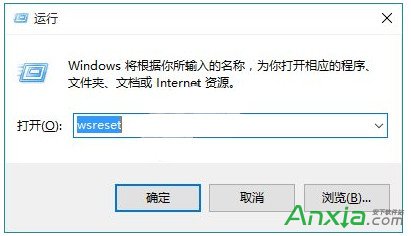
wsreset 重置商店

依序嘗試上述方法,多數商店/應用異常皆可解決。

Copyright © Windows教程網 All Rights Reserved