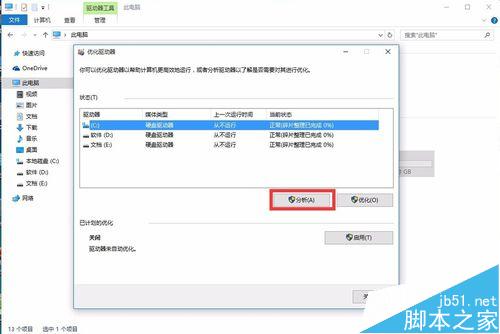
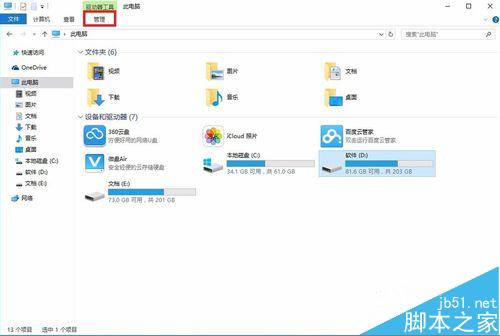
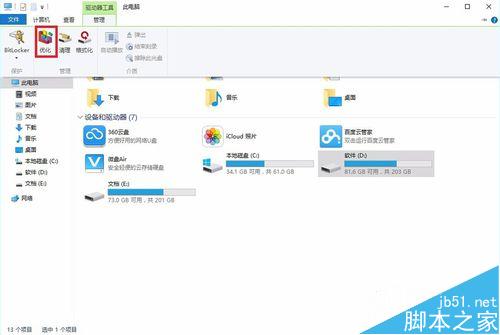
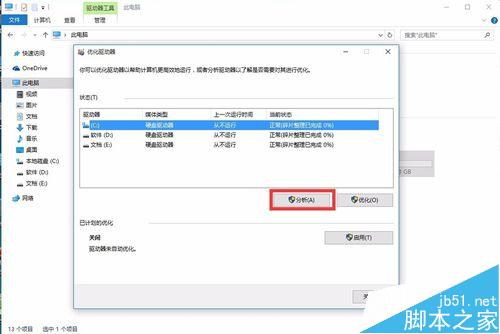
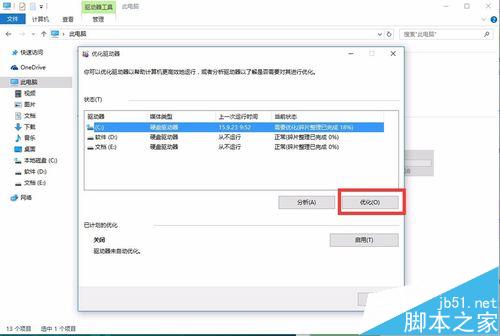
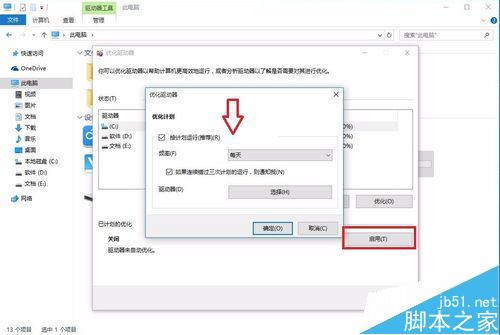
Win10 內建「最佳化磁碟機」工具,定期重組可提升存取速度:
Win10 正式版怎麼安裝?全新安裝、升級安裝、雙系統完整方法匯總
Win10 如何解除安裝內建「Windows 傳真與掃描」?控制台啟用/關閉 Windows 功能即可移除
Windows 開關機音樂與提示音自訂:控制台「聲音」頁籤替換 WAV 檔案完整教學
Win7 英文版防止睡眠/休眠設定:電源選項完整圖文教學
Win10 右键桌面反应极慢?清理 ContextMenuHandlers 注册表项秒解决
Win10 行事曆應用切換深色主題教學:五步驟完成個人化設定
Win10 Build 10537 上手圖賞:OneDrive/Edge/右鍵選單/操作中心/商店/檔案總管新動畫與 UI 微調
Win7 系統 Apple Mobile Device 服務無法啟動?兩種修復方案:重啟服務與重裝 iTunes