升级 Win10 后右键桌面延迟严重,多为第三方扩展菜单项拖累。通过注册表清理即可恢复秒开:
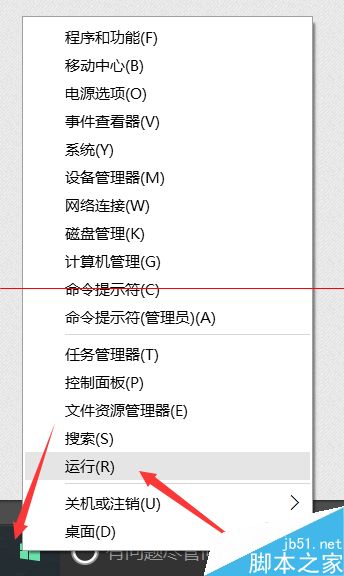
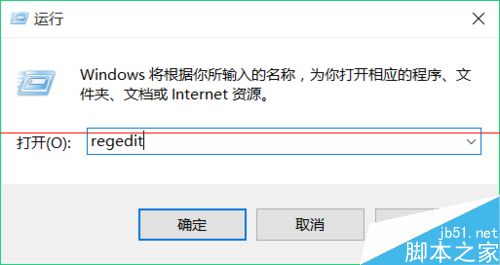
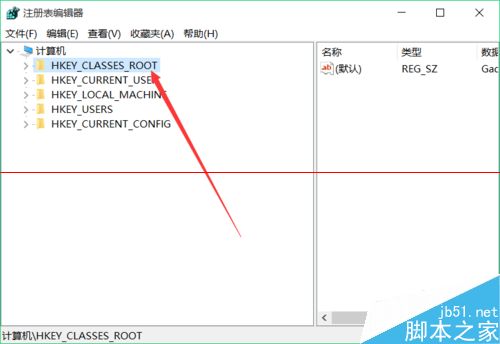
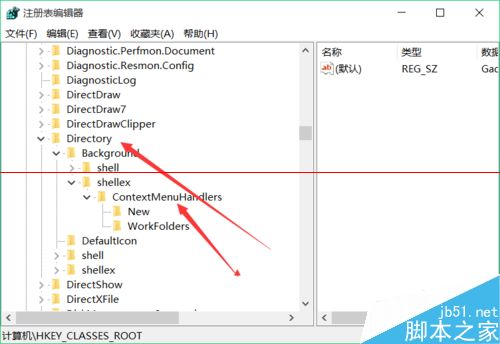
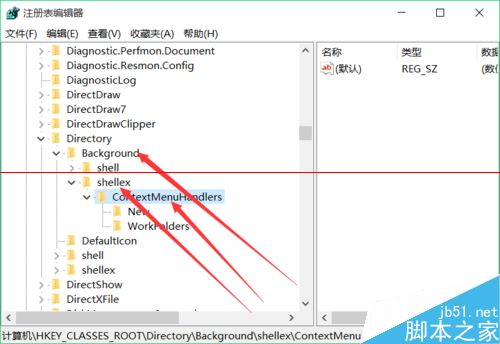
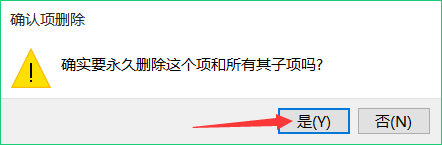
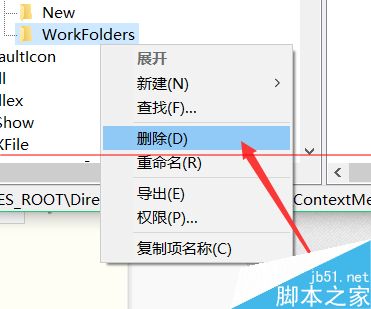
regedit。HKEY_CLASSES_ROOT\Directory\Background\shellex\ContextMenuHandlers。New 项外,删除其余所有子项(如 NvCplDesktopContext、ACE 等显卡/第三方菜单)。注意: 仅删除 ContextMenuHandlers 下的项,勿误删其他分支。操作前建议导出该分支备份。
教你不切換微軟帳戶也能用 Win10 應用商店下載應用:僅在 Store 登入微軟帳戶
Win10 找回 Win7 經典開始選單:Classic Shell 免費工具完美還原 Win7/WinXP/Win2000 風格
Win10 升級提示錯誤 0xc0000017「記憶體不足無法建立 Ramdisk」?bcdedit 清除壞記憶體標記即可修復
Win10 如何防止硬碟資料損毀遺失?善用「儲存空間」建立鏡像/奇偶校驗備份
微軟內測 Win10 Mobile 10559,或隨 Lumia 950 同步推送
Win10 控制台顯示所有項目 (大/小圖示) 兩大速查法:位址列下拉選單與檢視方式切換
Win10 Build 14316 啟用 Linux Bash (WSL) 完整圖文教學:啟用開發者模式 → 安裝 Ubuntu 子系統 → 下載映像 → 測試指令