Windows XP Windows 7 Windows 2003 Windows Vista Windows 綜合教學 Linux 系統教學
Windows 10 Windows 8 Windows 2008 Windows NT Windows Server 電腦軟體教學
您现在的位置: Windows教程網 >> Windows教程 >  >> Windows 綜合教學 >> 關於 Windows

教你不切換微軟帳戶也能用 Win10 應用商店下載應用:僅在 Store 登入微軟帳戶

編輯:關於 Windows

Win10 允許本機帳戶登入系統,僅在應用商店單獨登入微軟帳戶下載應用,保護隱私同時享用商店資源。

操作步驟

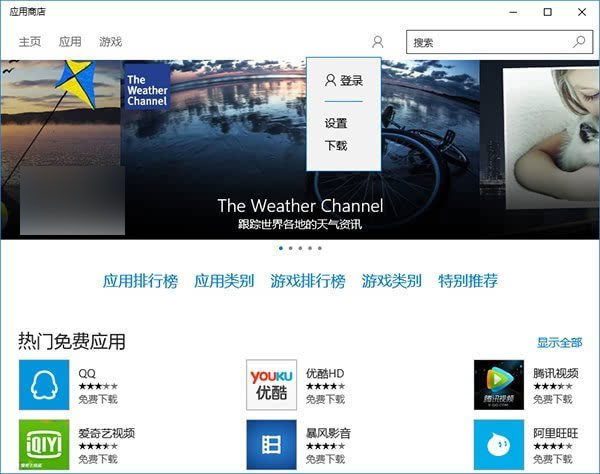
  1. 本機帳戶狀態開啟 Store → 點擊右上角頭像圖示 → 「登入」。
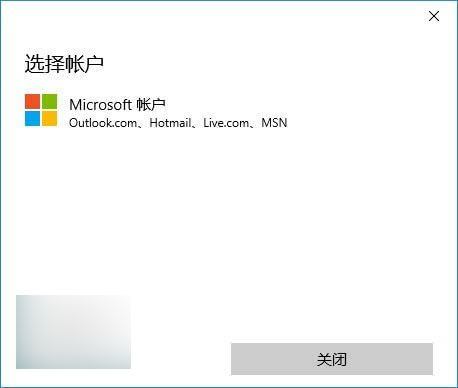
  2. 選擇「Microsoft 帳戶」。
  3. 輸入微軟帳戶密碼 → 「登入」。
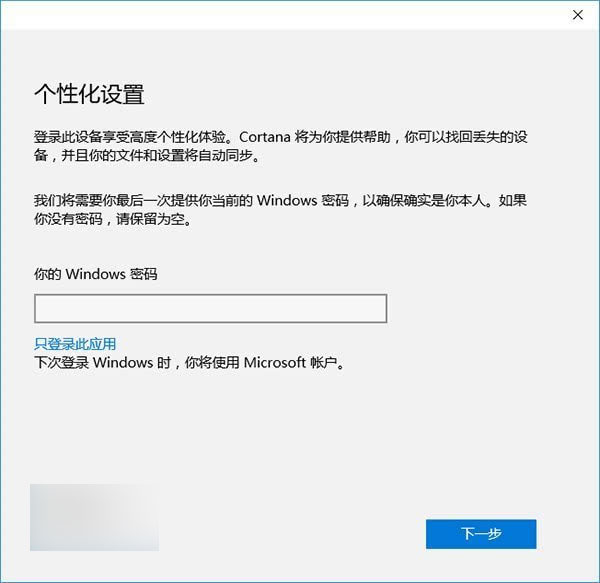
  4. 輸入本機帳戶密碼(無則留空) → 關鍵:點擊密碼框下方「只登入此應用程式」連結,不要點「下一步」。
  5. 完成後系統仍以本機帳戶運行,Store 內已登入微軟帳戶可正常下載應用。
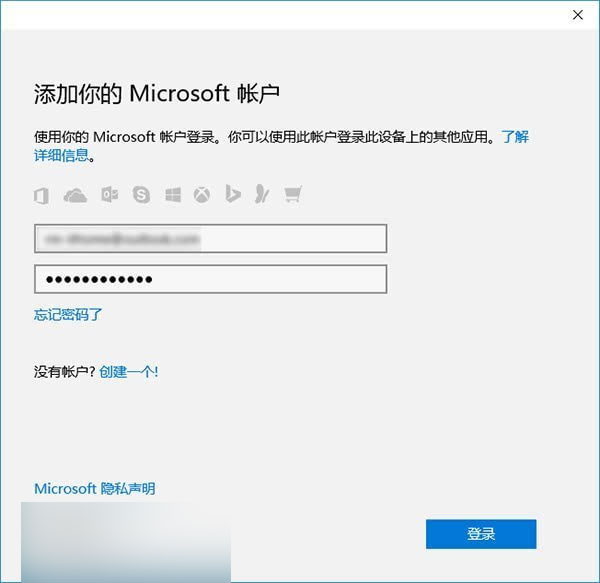
Store 登入入口

選擇 Microsoft 帳戶

輸入微軟帳戶

關鍵選項:只登入此應用程式

適用場景

不想同步設定、不想雲端備份、重視本機隱私的用戶,此法完美平衡需求。

Copyright © Windows教程網 All Rights Reserved