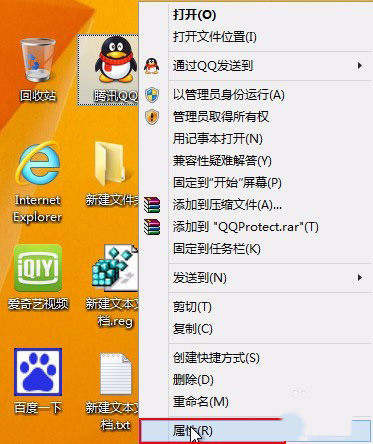
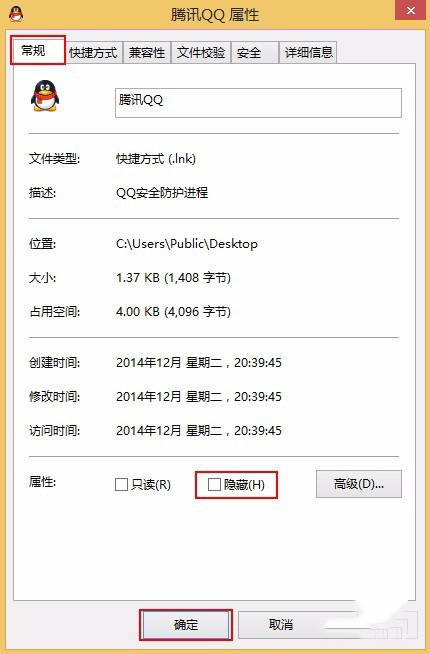
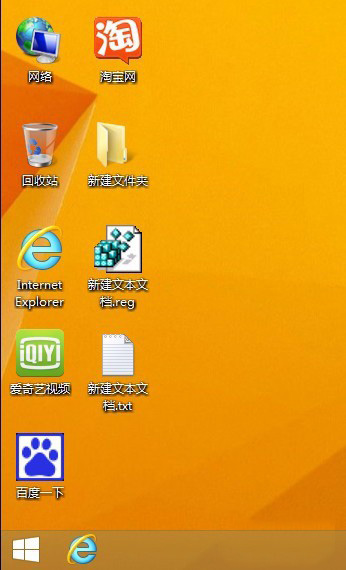
Windows 8 桌面圖示可單獨隱藏,不想讓他人看見特定捷徑時使用。
圖示即刻隱藏,若需顯示隱藏檔案可在資料夾選項「檢視」頁籤勾選「顯示隱藏的檔案、資料夾及磁碟機」。
Win7/Win8.1 通过“获取 Windows 10”工具升级失败?手动运行 Setup.exe 解决安装错误
Windows 7 磁碟分區調整三步驟:內建工具與 EASEUS Partition Master 實戰
Win8 取消 Metro 開始畫面:登錄檔新增 RPEnabled=0 重開機即可
Windows 10 找回經典「Windows 相片檢視器」開啟圖片
Win10 家庭版取消開機密碼完整圖文教學
Windows 8 內建虛擬光碟機使用教學:雙擊 ISO 掛載、右鍵彈出超簡單
Windows 10 解鎖全新 Modern 風格時鐘托盤:登錄編輯一鍵啟用
Win10 玩 LOL 自動跳回桌面?全螢幕修復工具一鍵解決