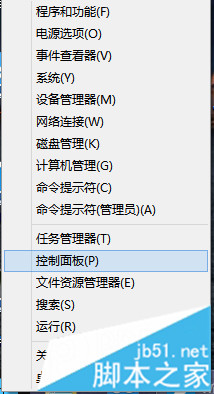
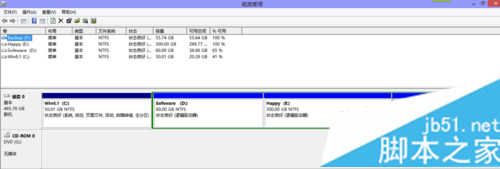
Windows 8.1 內建磁碟管理工具可直接分割分區,無需第三方軟體。
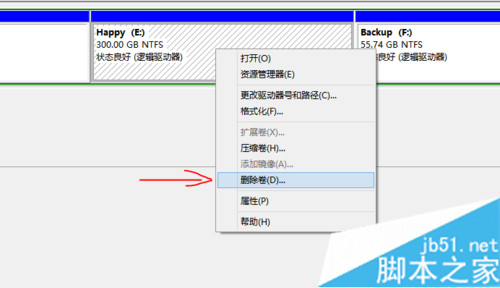
操作簡單安全,刪除磁碟區會清除資料,操作前請先備份重要檔案。
Win7 關機按鈕設定教學:解決關機後鍵盤滑鼠燈號常亮問題
Win7 旗艦版重裝 TCP/IP 協定恢復網路連線
Win8.1 快速開啟「Windows 說明與支援」的兩種方法
Windows 8.1 「共用」超級按鈕:從右側邊欄快速分享檔案、連結、照片至人員/應用/裝置
Windows 8.1 還原出廠設定圖文教學:保留檔案或完全清除
重設 Winsock 目錄解決「連網但無法上網」:netsh 指令一鍵修復網路協定堆疊
Win8.1 右鍵檔案「未回應」死當?兩種方案:乾淨啟動 / 登錄表清理 ContextMenuHandlers
Windows 10 滑鼠右鍵點擊資料夾/檔案無反應,刪除登錄表 NoViewContextMenu 鍵值即可修復