Shell 命令是 Windows 提供的快捷方式,透過「執行」視窗(Win + R)或開始選單搜尋框直接輸入,即可瞬間開啟使用者設定檔、文件庫、系統資料夾等深層路徑,無需層層點選。本文整理 30 組實用指令,附中文說明,建議收藏備查。
使用者專屬資料夾
| 指令 | 開啟位置 |
|---|
shell:Profile | 目前登入使用者的根目錄 |
shell:Personal | 我的文件 |
shell:My Music | 我的音樂 |
shell:My Pictures | 我的圖片 |
shell:My Video | 我的影片 |
shell:Desktop | 桌面 |
shell:Downloads | 下載 |
shell:Favorites | IE 收藏夾 |
shell:Contacts | 連絡人 |
shell:Searches | 已儲存的搜尋 |
shell:Links | IE 導覽列連結 |
共用/公用資料夾
| 指令 | 開啟位置 |
|---|
shell:Public | 公用使用者資料夾 |
shell:Common Desktop | 公用桌面 |
shell:Common Documents | 公用文件 |
shell:CommonDownloads | 公用下載 |
shell:CommonMusic | 公用音樂 |
shell:CommonPictures | 公用圖片 |
系統功能類
| 指令 | 功能 |
|---|
shell:Cookies / shell:Cache | 快速查看 IE 暫存/ Cookie |
shell:Programs / shell:Common Programs | 目前/所有使用者的開始選單程式清單 |
shell:ConnectionsFolder | 網路連線資料夾 |
shell:Startup / shell:Common Startup | 目前/所有使用者的開機自啟資料夾 |
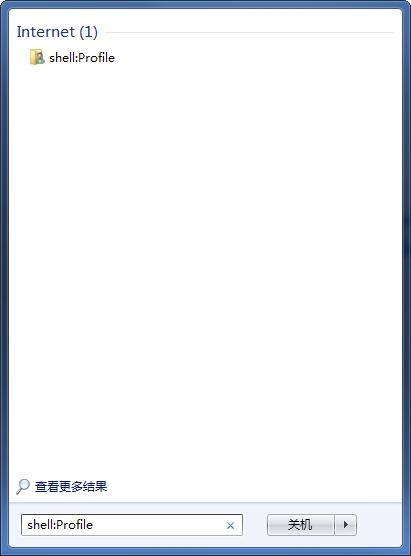
使用提醒: 所有指令皆可在「執行」視窗或開始選單搜尋框直接輸入執行,大小寫不敏感。善用這些指令能大幅提升檔案管理與系統維護效率。