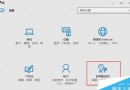
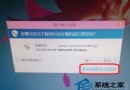
Win10 升級後《英雄聯盟》(LOL)藍屏/無法啟動,參考 Win8 時期經驗,三招嘗試:
League of Legends.exe
Program Files\騰訊遊戲\英雄聯盟\Game
若以上無效,建議等待騰訊釋出 Win10 相容版本,或暫時雙系統/虛擬機運行。
Win10 移除不需的 Windows 功能釋放資源提升效能:關閉列印服務、傳真、舊版元件等
Windows 下讀取 Ext2/Ext3 及 ReiserFS 等 Linux 檔案系統
美媒建議普通用戶暫緩安裝 Win10:應用崩潰頻繁、降級困難、觸控體驗不完善
Win10 DVD 播放器收費 14.99 美元?免費取得授權與手動安裝破解教學
Win10 UPnP 服務無法啟動?兩大解決方案讓迅雷、P2P 應用恢復正常
Win10 升級後刪除 Windows.old 釋放 C 槽 10GB 空間:磁碟清理工具標準流程
Windows 10 家庭版 9 月起開放手動控制應用程式更新
Win10 Build 10134 上手體驗影片:新截圖工具、更新介面、人脈應用展示