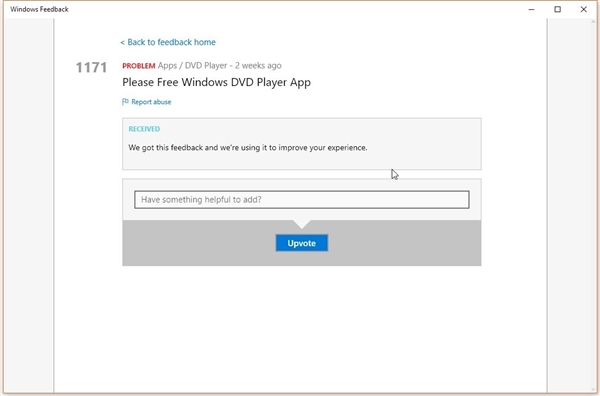
Windows 10 移除媒體中心,改推獨立「Windows DVD Player」應用,售價 14.99 美元(約新台幣 450 元),且僅支援 DVD、不支援藍光,引發用戶不滿。僅從 Win7 旗艦/專業/家庭進階版或含媒體中心的 Win8.1 升級的用戶可免費取得。本文教導不符合免費條件的用戶,透過官方更新套件手動部署安裝的完整步驟。
僅符合以下升級路徑的用戶自動獲得免費授權:
全新安裝 Win10、Win7 家庭基本/入門版升級用戶均需付費。
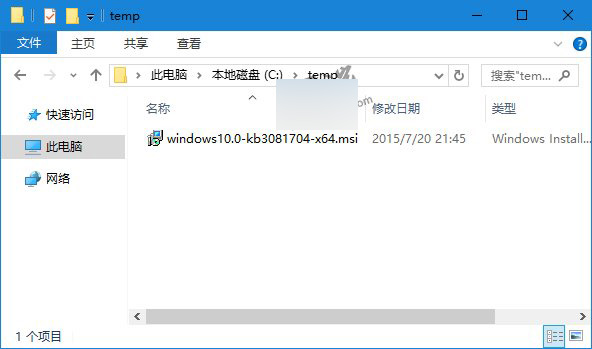
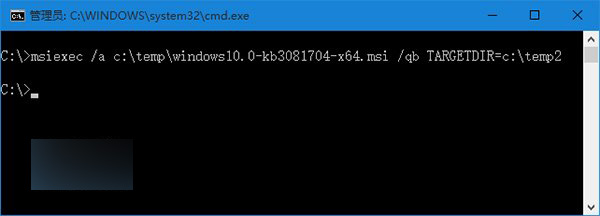
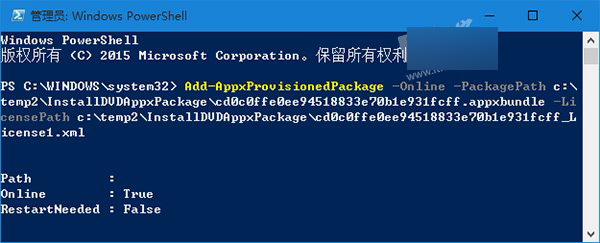
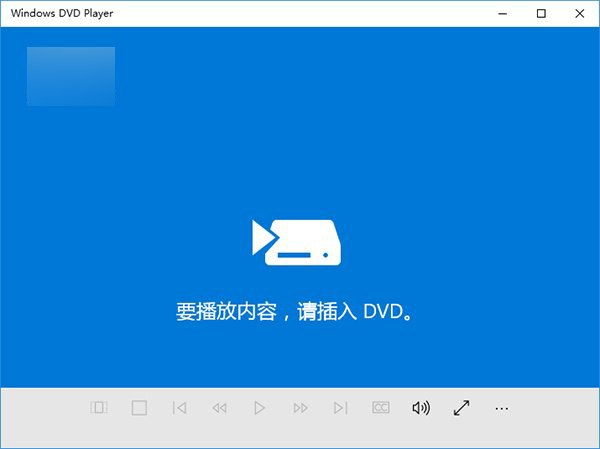
windows10.0-kb3081704-x64.msi。temp、temp2,將 .msi 放入 temp。msiexec /a c:\temp\windows10.0-kb3081704-x64.msi /qb TARGETDIR=c:\temp2Add-AppxProvisionedPackage -Online -PackagePath c:\temp2\InstallDVDAppxPackage\cd0c0ffe0ee94518833e70b1e931fcff.appxbundle -LicensePath c:\temp2\InstallDVDAppxPackage\cd0c0ffe0ee94518833e70b1e931fcff_License1.xml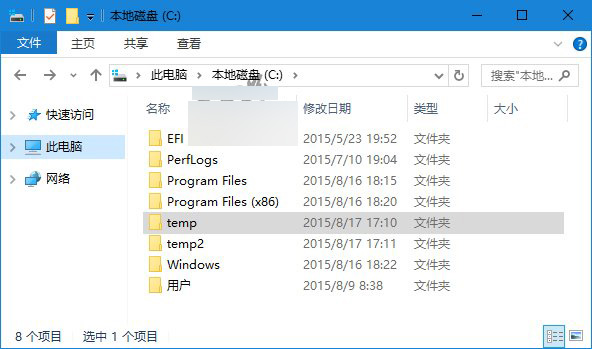
注意:此方法為繞過授權檢查的手動部署,微軟未來更新可能失效。建議長期需求者考慮免費替代方案(如 VLC、PotPlayer)支援更多格式且無廣告。