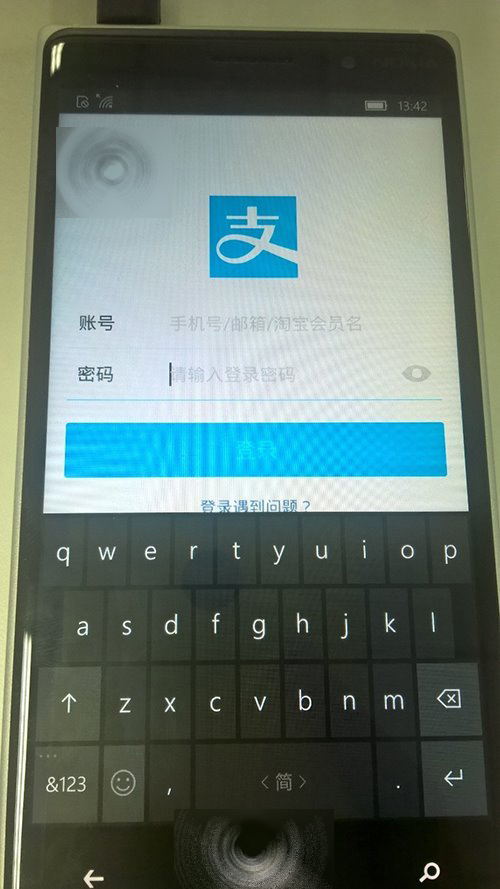
上周網友「土匪 ky」分享 Win10 Mobile 直接安裝安卓 APK 方法,升級 10512 後許多用戶遇到安卓應用無法彈出鍵盤、返回鍵失效。作者現分享免重置解決方案:
MicrosoftInputMethod.apk
wconnect
@ArcadiaArm:/ $
下次升級 WP10 前記得先移除此輸入法: adb shell @ArcadiaArm:/ $ pm uninstall com.microsoft.inputmethod
adb shell
@ArcadiaArm:/ $ pm uninstall com.microsoft.inputmethod
Win10 操作中心瘋狂重複推送「已重設應用程式預設值」死循環?卸載 KB3135173 即時止血
Win10 錄音機無聲音?停用 Windows Update 強制驅動、重裝官方聲卡驅動、調整錄音層級完整修復
WinXP 攝影機無法建立視訊預覽?三大解決方案完整教學
如何將 Win10 系統遷移到固態硬碟?分區助手幾步搞定
Windows 10 如何安裝國際象棋遊戲?完整教學與避坑指南
Windows 10 免費升級預約全流程圖文教學:三步驟輕鬆完成預約
Windows 8 使用 RD 指令刪除頑固檔案/資料夾 (權限不足時也能刪除)
Win10 vs Win8.1 實測對比:啟動、辦公、續航、游戲性能全面分析