Win8 檔案總管採用 Ribbon 功能區介面,選單隱藏不易發現快速鍵。按下 Alt 鍵即可暫時顯示所有索引標籤與按鈕的字母熱鍵,大幅提升鍵盤操作效率。

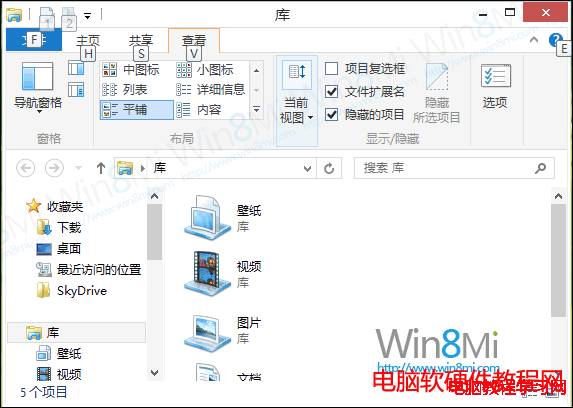

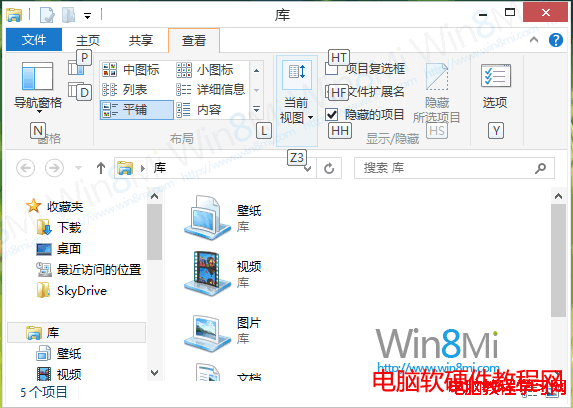
適用範圍:此功能繼承自 Office 2007+ 的 Ribbon 介面,Win8/8.1/10/11 的檔案總管、Word、Excel 等皆支援,善用 Alt 鍵可讓你脫離滑鼠高速操作。
Win10 內建「語音錄音機」+ iTunes 免費製作 iPhone 鈴聲完整教學
Windows 10 Build 10074 首枚累積更新 KB3061161 釋出:修復 Cortana 無法開啟、錯誤報告上傳失敗等七大問題
Windows 7 變更使用者帳戶類型教學:管理員降級為標準使用者提升安全性
Win10 如何開啟 Windows Defender 掃毒?內建防毒零安裝、低資源佔用、高相容性,配置吃緊用戶首選
Win10 雷柏 7100 滑鼠開機彈出 UAC 提示?登錄註冊表加入 RunAsInvoker 免彈窗