聯想 YoGa 筆電在 Win8 Metro 介面啟動 IE10 閃退,主因是 IE10 功能元件損毀。透過「開啟或關閉 Windows 功能」重置 IE10 即可修復。
修復步驟
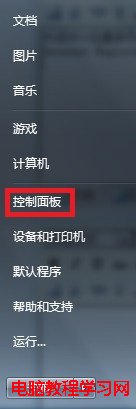
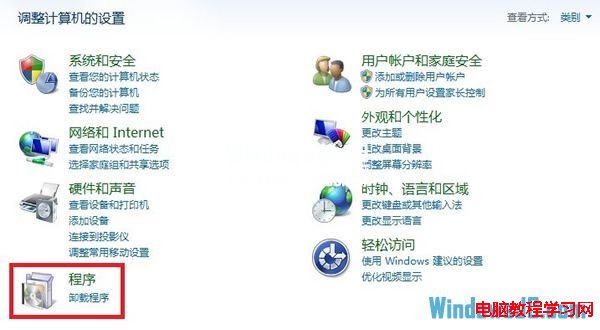
- 開啟「控制台」→「程式」→「程式和功能」。
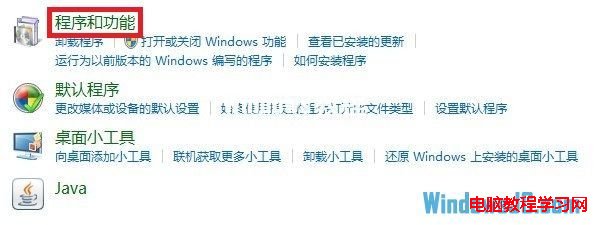
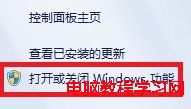
- 點擊左側「開啟或關閉 Windows 功能」。
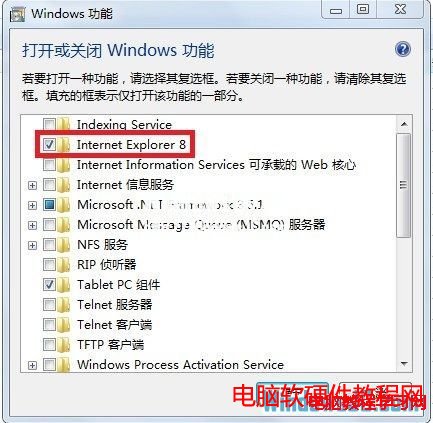
- 取消勾選「Internet Explorer 10」,確定,系統會移除 IE10 相關元件。
- 重新啟動電腦。
- 再次進入「開啟或關閉 Windows 功能」,重新勾選「Internet Explorer 10」,確定安裝。
- 重新啟動後,Metro 版 IE10 應可正常啟動不再閃退。
適用情境:Win8/8.1 系統 Metro 版 IE10/11 閃退、無法開啟、網頁空白等問題,皆可嘗試此「關閉→重開機→開啟→重開機」重置流程。