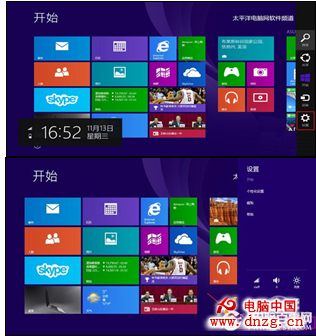
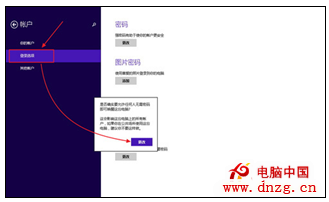
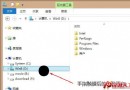
為了防止他人在您離開時存取電腦資料,Windows 8.1 提供「睡眠喚醒需輸入密碼」的安全選項。以下是詳細設定步驟:
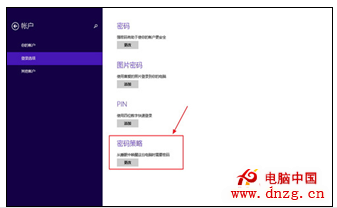
密碼原則 是指設定任何有密碼的使用者在喚醒電腦時是否需要輸入密碼(預設為啟用)。若希望喚醒時不輸入密碼,點選「變更」即可關閉;但若電腦處於辦公環境,強烈建議啟用密碼保護,防止個人資料外洩。
注意: 此功能需在已設定開機密碼的前提下生效。
在 Windows 7 環境下安裝 Windows 8 至 VHD 虛擬硬碟完整教學
Windows 8.1 預覽版安裝過程中找回「本地帳戶」選項技巧
Win 10 忘記開機密碼怎麼辦?利用 sethc.exe 替換法重設密碼 (含圖文詳解)
Win8 滑鼠右鍵反應緩慢解決方案:停用顯示卡/壓縮軟體右鍵選單項目、更新顯卡驅動、登錄表清理 ContextMenuHandlers
Win8怎麼看電腦配置?兩大原生與工具法快速查核心規格
Win8 寬帶連線錯誤 651 怎麼辦?排查與解決完整指南
不再眼花撩亂:Windows 8 版本完整解析與升級優惠、熱門機種推薦
Windows 8.1 進入進階啟動選項(安全模式)兩種方法圖解