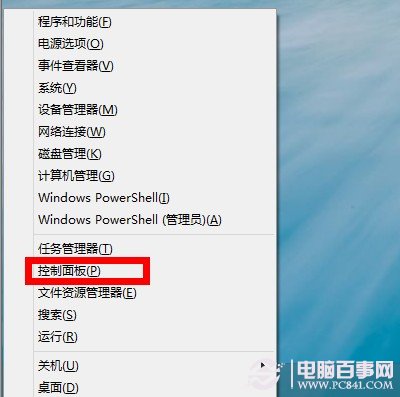
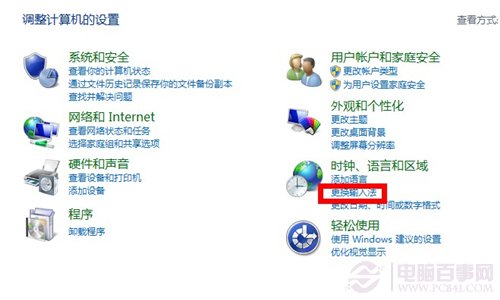
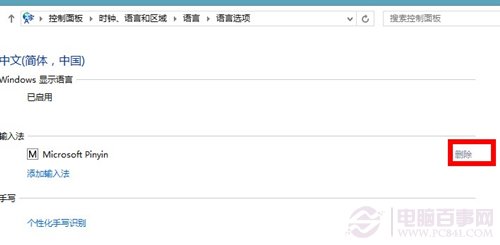
Windows 8.1 預載微軟拼音/注音輸入法,若習慣使用第三方輸入法 (如輕鬆輸入、微軟注音、搜狗等),可移除內建輸入法以騰出空間並簡化切換列表。
Win8 移除管理員開機密碼:控制台用戶帳戶圖文教學
Windows 8.1 應用程式管理進階技巧:相容性、權限、帳戶、預設程式、系統功能
Windows 8 解除安裝應用程式完整教學(鍵盤/觸控雙模式)
IE10 不記住密碼?完整排查與修復指南(含群組原則深度修復)
Windows 8 網頁開啟慢但下載快?調整 QoS 預留頻寬解決
Win10/Win8.1/Win7 登入畫面預設開啟數字鍵盤鎖定:兩種設定法
Windows 8 遠端桌面連線完整教學:內建應用快速連線遠端電腦
Windows 8 檔案歷程記錄設定完整指南:自動備份個人資料到外接裝置