Windows 8 將包含更多安全功能,提供更好防護。微軟強化 Windows Defender,保護用戶免受病毒、蠕蟲、僵屍工具、rootkits 等所有類型惡意軟體威脅。Win8 透過 Windows Update 提供惡意軟體簽名,Defender 使用檔案系統過濾器即時監測防護,並與安全啟動技術交互。若 PC 支援 UEFI Secure Boot (UEFI 2.3.1 規範),Win8 安全啟動將確保所有韌體與更新安全。
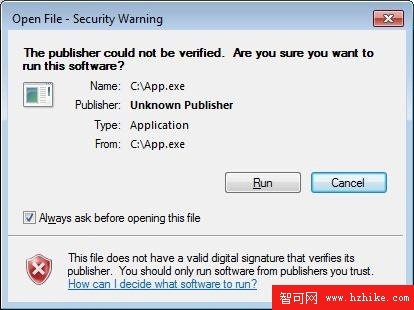
此外,IE 的 SmartScreen 篩選器也入駐 Win8。首次下載、開啟來自網路的應用程式時使用 SmartScreen 進行信譽檢測。Win7 中開啟此類下載應用會彈出提示;Win8 中 SmartScreen 僅在應用程式尚未建立信譽、存在高風險時通知用戶,減少誤擾。