Win7 開機跳出「未能連接一個 Windows 服務」錯誤,主因是 System Event Notification Service (SENS) 未啟動,常因第三方安全軟體優化開機項誤停用。修復步驟:
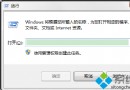
cmd
NETSH WINSOCK RESET CATALOG
此指令能修復網路服務目錄損毀,恢復 SENS 正常運作,解決開機服務連線失敗問題。
Win7 啟用檔案與印表機共享:網路共享中心六步驟圖解
Win7 區域網路怎麼搶網速?路由器限速 + 聚生網管雙策略實戰
Windows 7 系統備份完整指南:還原點、系統映像與還原操作
Win7 修復 DLL 動態連結庫檔案的方法
Win7 刪除 iertutil.dll 導致無法開機?免重裝修復全教學
IE 7 進階實用技巧:自訂搜尋引擎、加速網頁顯示、列印控制、鍵盤導航、登錄檔調校
Win7 桌面圖示出現白底方框?透過效能設定恢復透明標籤
Win7 工作管理員標題列消失?雙擊邊框一秒恢復完整介面