不慎刪除系統關鍵檔案 iertutil.dll(IE 執行階段工具程式庫)會導致 Windows 7 開機卡在載入畫面、藍屏或進入桌面後功能異常。許多用戶以為只能重灌系統,實則可透過「工作管理器啟動命令提示字元」從系統備份快取 DllCache 還原檔案,免去重裝之苦。本文提供圖文詳解步驟,適用於 Win7 旗艦版/企業版 32/64 位。
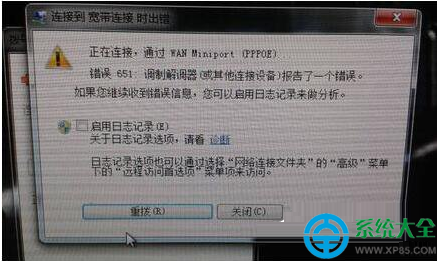
iertutil.dll 找不到 錯誤對話框。iertutil.dll 負責 IE 渲染引擎、HTML 應用程式(HTA)、Windows Update 等核心功能,缺失將嚴重影響系統穩定。cmd → 勾選「以系統管理員權限建立此工作」→ 確定。在命令提示字元依序輸入以下指令,每行按 Enter:
cd /d C:\Windows\System32\dllcache
copy iertutil.dll C:\Windows\System32\
成功會顯示 已複製 1 個檔案。若 dllcache 目錄不存在或檔案遺失,請見「備援方案」。
regsvr32 C:\Windows\System32\iertutil.dll
shutdown /r /t 0
重啟後系統應能正常進入桌面,IE、Windows Update 功能恢復正常。
C:\Windows\System32\ 複製 iertutil.dll 至 USB,再插入故障機於命令提示字元複製回 System32。install.wim → 1/Windows/System32/iertutil.dll 取出。sfc /scannow /offbootdir=C:\ /offwindir=C:\Windows。掌握此技巧,下次遇到關鍵 DLL 遺失也不必驚慌重灌,幾分鐘即可讓 Win7 起死回生。