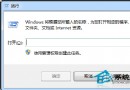
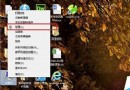
單位電腦為防機密外洩,需設定插入的隨身碟/外接硬碟唯讀不可寫入。Vista 下操作如下:
regedit
HKEY_LOCAL_MACHINE\SYSTEM\CurrentControlSet\Control\StorageDevicePolicies
WriteProtect
1
0
無需第三方軟體,純登錄設定即可管控所有 USB 儲存裝置寫入權限。
Word 轉 PDF 提示「pdfmaker 檔案遺失」?修復 Normal.dotm 並啟用 COM 增益集
Win7 系統越用越慢的磁碟清理與效能優化指南
Win7 開機提示「Group Policy Client 服務無法登入」完整修復教學
Win7 兩台電腦共享上網怎麼設定?ICS 網際網路連線共享完整圖文教學
Win7 設定螢幕關閉但不進入睡眠?調整電源選項「關閉顯示器」與「睡眠」時間差即可
Windows 7 重裝後必做的 5 項關鍵優化設定,讓系統更穩定、更流暢
Win7 如何開啟內建 Administrator 超級管理員帳號?
滑鼠右鍵選單新增「使用 360 強力刪除」選項教學