Windows XP Windows 7 Windows 2003 Windows Vista Windows 綜合教學 Linux 系統教學
Windows 10 Windows 8 Windows 2008 Windows NT Windows Server 電腦軟體教學

Win7 旗艦版報錯 0x000006d18?六步驟重置 Windows Update 元件修復 .NET 安裝

編輯:Win7 系統應用技巧

錯誤 0x000006d18 常發生於 .NET Framework 安裝/更新。重置 Windows Update 服務與軟體發佈資料夾可解決。

修復步驟

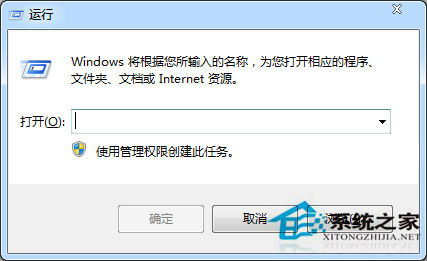
  1. Win + R → cmd → 右鍵「以系統管理員身分執行」。
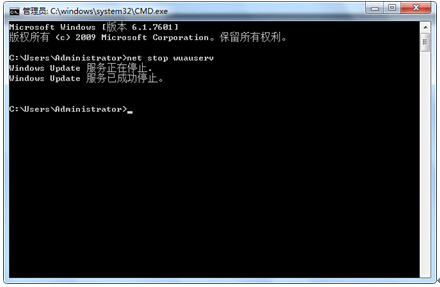
  2. 輸入 net stop WuAuServ 停用更新服務。
  3. 輸入 echo %windir% → 開啟 Windows 目錄 → 找到 SoftwareDistribution → 重新命名為 SDold。
  4. 輸入 net start WuAuServ 重新啟用更新服務。
  5. 重新安裝 .NET Framework,錯誤消失。

以管理員身分開啟 CMD

net stop WuAuServ 停用服務

六步驟重置更新元件,徹底解決 0x000006d18 安裝失敗。

Copyright © Windows教程網 All Rights Reserved