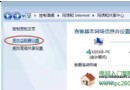
Win7 使用久了會累積大量暫存檔、系統更新備份、記憶體卸載檔等冗余資料,佔用系統碟空間導致變慢。定期清理磁碟是最基本的加速手段。
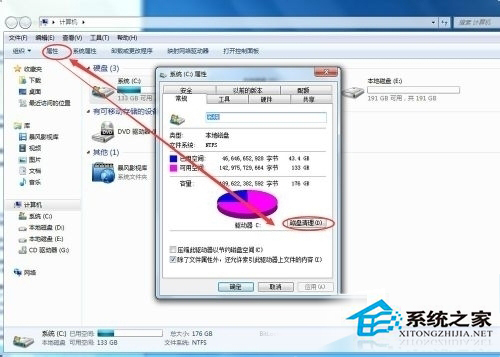
建議每月執行一次,並搭配磁碟重組、停用不必要開機項目、更新驅動程式等綜合優化。
Win7 筆電攝影機打不開?裝置管理員啟用 + 驅動精靈更新主板驅動 + 硬體排查
Win7 開機顯示亂碼?註冊表 InstallLanguage 和 Default 改 0804 (簡體中文) 即刻正常
Windows 7 內建磁碟檢查與修復工具(chkdsk)圖文教學
Word 輸入 ㎡ 平方公尺符號四大招:上標、快速鍵、插入符號、字型子集
裝完系統黑屏出現「Windows????」亂碼標題?安裝媒體損壞或寫入失敗,重新製作開機碟重灌
2024 組裝電腦配單推薦:從 3 萬到 10 萬四大等級完整清單與避坑指南