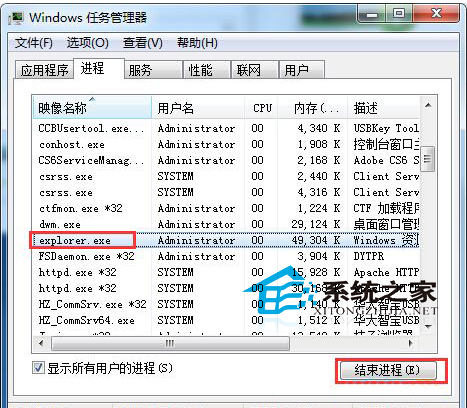
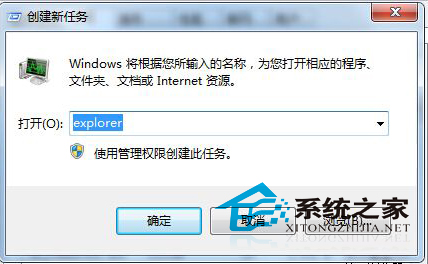
Win7 桌面圖示點擊沒反應、工作列也失效,是 explorer.exe (資源管理器) 當機導致。重啟進程即可恢復:
explorer.exe
explorer
進階排查: 若頻繁發生,檢查:• 殼擴充套件衝突 (用 ShellExView 停用非 Microsoft 擴充)• 病毒/惡意軟體感染• 系統檔案損毀 (執行 sfc /scannow)• 顯示卡驅動相容性問題
sfc /scannow
Win7 系統檔案唯讀屬性無法修改?透過安全性權限徹底解決
Win7 群組原則禁止安裝任何軟體教學 (Windows Installer 限制)
善用 Windows Defender 自訂掃描:打造 Vista 專屬安全防護
Win7 系統下使用 CMD 指令刪除頑固檔案的完整語法指南
從 XP 升級到 Windows 7 完整步驟:使用 Windows Easy Transfer 遷移資料
Win7 瀏覽器無法開啟網頁完整排除與解決教學
Win7 開始選單找不到「執行」指令?一鍵恢復顯示教學
Win7 系統 TXPlatform.exe 進程解析:功能與禁用指南