Windows XP Windows 7 Windows 2003 Windows Vista Windows 綜合教學 Linux 系統教學
Windows 10 Windows 8 Windows 2008 Windows NT Windows Server 電腦軟體教學

Win7 關閉 Intel 快速儲存技術 (IRST) 釋放資源:從托盤圖示到完整解除安裝

編輯:Win7 系統應用技巧

Intel Rapid Storage Technology (IRST) 提供 RAID、快取加速、磁碟保護功能,但常駐服務 IAStorDataMgrSvc、托盤程式 IAStorIcon.exe 佔用記憶體/CPU。非 RAID 陣列、非 Intel Optane 記憶體用戶可關閉/解除安裝釋放資源。
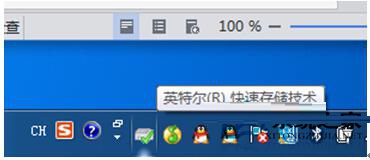
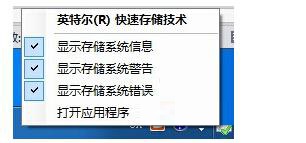
階段 1:關閉托盤圖示通知 (最輕量)

  1. 工作列右下角 IRST 圖示 (類似硬碟/芯片圖示) 右鍵 → 取消勾選「顯示通知」/「啟用托盤圖示」相關選項。
  2. IRST 托盤圖示
  3. 關閉托盤通知選項

階段 2:停用服務與開機自啟 (不解除安裝)

  1. Win+R → services.msc → 找到 Intel Rapid Storage Technology / IAStorDataMgrSvc → 雙擊 → 啟動類型「手動」/「停用」 → 若正在執行點「停止」。
  2. 工作管理員 → 「啟動」頁籤 → 找到 IAStorIcon / IAStorDataMgrSvc 相關項目 → 右鍵「停用」。
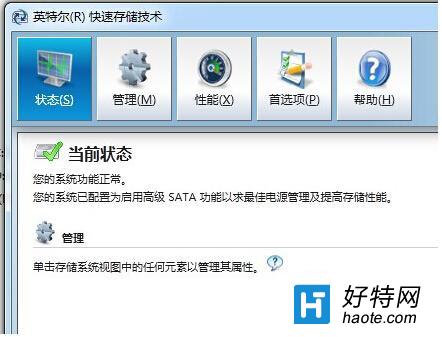
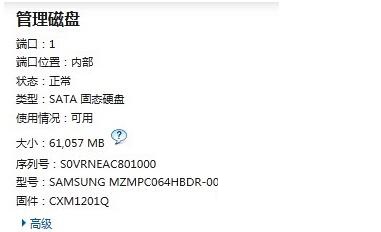
  3. IRST 控制面板
  4. IRST 管理選項

階段 3:完整解除安裝 (最徹底)

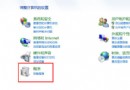
  1. 「控制台」→「程式和功能」→ 找到 Intel Rapid Storage Technology → 右鍵「解除安裝」 → 依嚮導完成。
  2. 或執行安裝目錄下的解除安裝程式 (通常在 C:\Program Files\Intel\Intel(R) Rapid Storage Technology\ 或 C:\Program Files (x86)\...)。
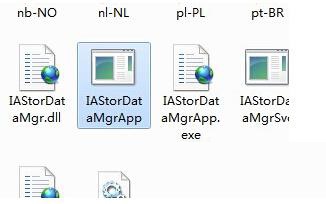
  3. IRST 解除安裝程式
  4. 重開機確認服務/托盤/啟動項皆消失。

適用對象與風險

  • 可安全移除: 單顆硬碟/SSD (非 RAID)、無 Intel Optane 記憶體、無需 RAID 功能的一般用戶。
  • 不可移除: 已建立 RAID 0/1/5/10 陣列、使用 Intel Optane 記憶體加速、企業/伺服器環境依賴 IRST 監控磁碟健康。
  • 解除安裝後:RAID 陣列將離線/資料不可讀、Optane 加速失效、磁碟 S.M.A.R.T. 監控失效 (可用 CrystalDiskInfo 替代)。
替代方案: 僅需 S.M.A.R.T. 監控 → CrystalDiskInfo (免費、輕量、無常駐服務);需軟體 RAID → Windows 內建「儲存空間」 (Win8/10/11) 或 mdadm (Linux)。

Copyright © Windows教程網 All Rights Reserved