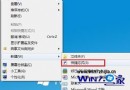
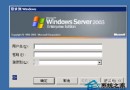
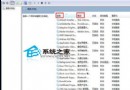
在已安裝 Windows 7 的電腦上安裝 Ubuntu 9.04,不需燒錄光碟,透過 Grub4DOS 直接從硬碟啟動 Ubuntu Live CD 進行安裝,最後修復 GRUB 加入 Windows 7 開機選單。以下為完整步驟。
ubuntu-9.04-desktop-i386.iso)。grldr、grldr.mbr、grub.exe)。casper\vmlinuz 與 casper\initrd.gz 複製到 C 槽根目錄。grldr、grldr.mbr、grub.exe 複製到 C 槽根目錄(Vista/Win7 必須有 grldr.mbr)。在 C 槽根目錄新建 menu.lst,內容如下:
title Install Ubuntu 9.04
root (hd0,0)
kernel (hd0,0)/vmlinuz boot=casper iso-scan/filename=/ubuntu-9.04-desktop-i386.iso ro quiet splash locale=zh_CN.UTF-8
initrd /initrd.gz
boot
複製 XP 的 boot.ini 到 C 槽(若無則自建),最後一行加入:
c:\grldr.mbr="Grub4DOS"
sudo umount -l /isodevice(避免安裝時裝置忙碌錯誤)。/。sudo umount -l /isodevice 後繼續。安裝完成重開機後預設只能進 Ubuntu。進入 Ubuntu 終端機:
sudo gedit /boot/grub/menu.lst
在檔案末尾加入:
title Windows 7
root (hd0,0)
makeactive
chainloader +1
儲存重開機,即可看到雙系統選單。