Windows 7 可將單一資料夾的檢視模式套用至所有資料夾,統一呈現風格:
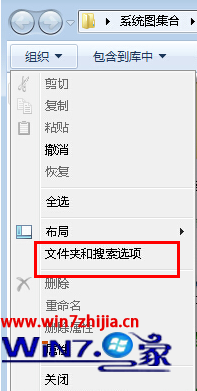
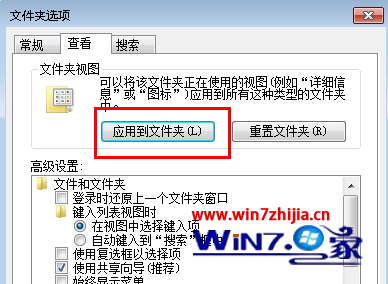
完成後,所有資料夾預設皆為平鋪檢視模式。
警惕針對 Windows 7 的盜號病毒:MSE 僅能查殺部分病毒、無防釣魚/防掛馬功能、裸奔極危險
微軟承諾:所有版本 Windows 7 均可在上網本運行,打消低階版本限制疑慮
Win7 虛擬 WiFi 讓筆電秒變無線路由器:netsh 指令建立託管網路、ICS 共享網路、支援 Android 裝置
Win7 睡眠後無法喚醒?三階檢查:硬體支援、喚醒裝置、電源管理設定
Win7 重啟後解析度變 800x600 怎麼辦?重裝顯卡驅動 + 重新調整解析度徹底修復
安裝 Windows 7 需要多大硬碟空間?實測 7GB,建議預留 15GB 以上