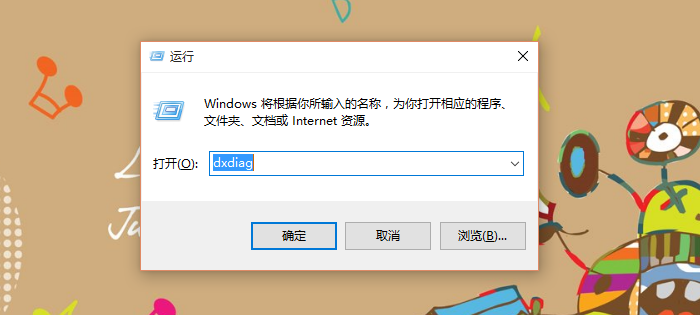
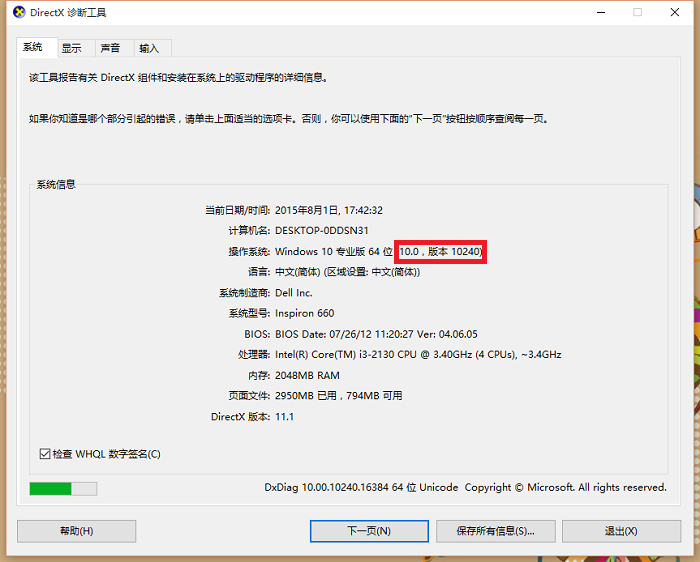
想知道目前安裝的 Windows 10 確切版本號 (如 1909, 20H2, 21H1, 22H2 等)?最快方法是使用內建 DirectX 診斷工具。
dxdiag
Windows 10 Pro 64-bit (10.0, Build 19045)
winver
systeminfo | findstr /B /C:"OS Name" /C:"OS Version"
Win10 系統圖標提取教程:軟媒魔方圖標大師導出 imageres.dll 全套圖標包下載
Win10 系統語言切換為繁體中文/英文完整教學
Win10 測試網速兩大法:線上測速網頁與 360 寬頻測速器
Win10 切換右鍵選單樣式:登錄檔 ImmersiveContextMenu 在傳統/現代風格間切換
Win10/Win8 無法進入 BIOS?三大解決方案:重啟替代關機、關閉快速啟動、斷電重置
Win7 升級 Win10 卡 99% 藍屏重開機怎麼辦?兩種修復方案完整實測教學
Windows 10 工作列顏色如何更改?自訂工作列、開始選單與動作中心顏色教學
Win10 安裝完成後必做的 9 件事:隱私、效能、體驗全面優化指南