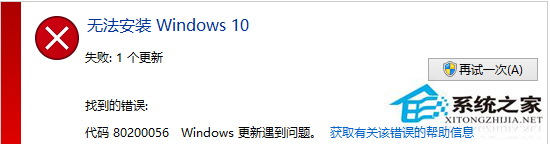
Windows Update 安裝 Win10 卡住報 80200056,提供三種修復方案:
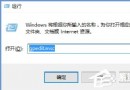
services.msc
C:\Windows\SoftwareDistribution
SDfolder
備份重要資料後,選擇「不保留任何項目」重新安裝。
方案一最簡單,建議優先嘗試。
Win10 內建「疑難排解」自動修復系統故障:音訊、網路、裝置一鍵診斷
Win10 開始功能表與 Cortana 都無法運作?User Manager 服務啟用修復法
Win10 KB3097617 累積更新安裝失敗怎麼解決?
Win10 手機 10080 黑屏問題解決:關閉動態磚背景圖片即可恢復開始畫面
Win10 桌面背景自動輪播:個人化設定內建投影片放映,免裝第三方工具
Win10 WampServer 黃燈無法啟動:修改 Apache 監聽埠 80 → 8088 解決埠衝突
Win10 開啟內建行動熱點 (Wi-Fi 熱點) 分享網路:三步驟設定 SSID 與密碼
暗黑破壞神 3 升級 Win10 後黑畫面/最小化無法切入?官方藍貼解決方案:更新顯卡驅動、開啟垂直同步、重裝遊戲