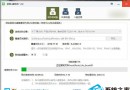
WampServer 圖示持續呈黃色 (僅部分服務啟動),主因 Apache 預設埠 80 被系統服務 (如 IIS、Web Deployment Agent、PID 4 System) 佔用。
Listen 80。Listen 80 改為 Listen 8088 (或其他未被佔用埠,如 8080、8888)。https://localhost:8088 即可正常使用。進階:若需保持埠 80,須在 services.msc 停用並設為停用 World Wide Web Publishing Service (W3SVC)、Web Deployment Agent Service 等佔用埠 80 的系統服務。
Ubuntu 修復 Grub 引導(Live CD 掛載分區重裝 Grub)
Win10 變更應用程式安裝位置:設定→系統→儲存體→儲存位置,支援外接硬碟/隨身碟,C槽減壓神技
Windows 10 企業版下載安裝指南:微軟官網 ISO 映像檔取得完整流程
Win 10 網路設定介面變革:Wi-Fi 設定視窗化告別 Charms 側欄
Windows 10 檔案總管顯示隱藏檔案一鍵設定教學 (檢視索引標籤)
Win10 Cortana (小娜) 反應緩慢?關閉線上搜尋「不允許 Web 搜尋」群組原則大幅提速
Win10 開啟圖片提示「COM Surrogate 停止運作」?DEP 排除 dllhost.exe 修復縮圖處理異常