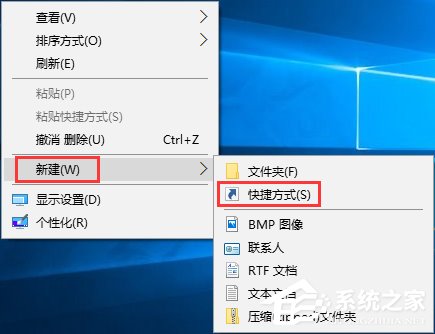
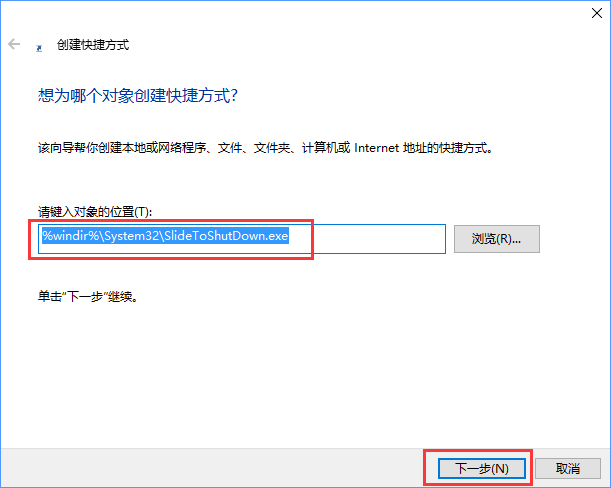
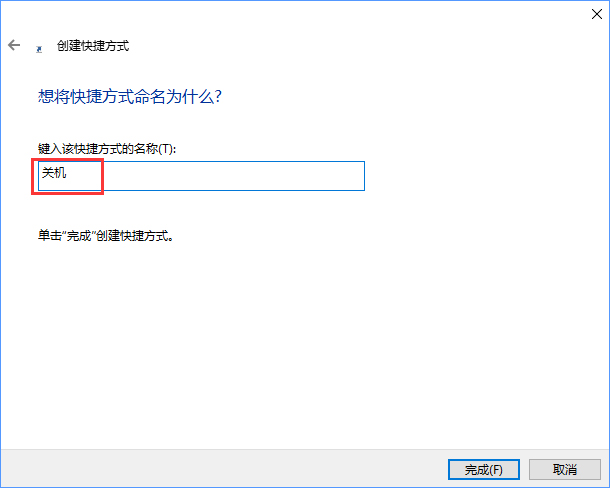
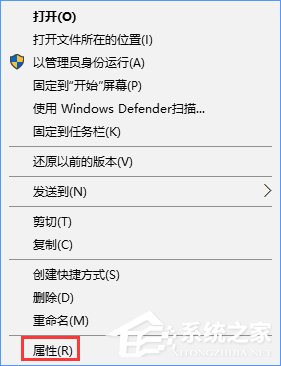
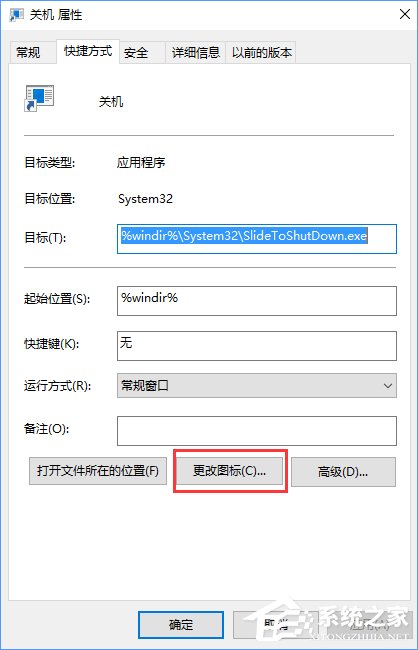
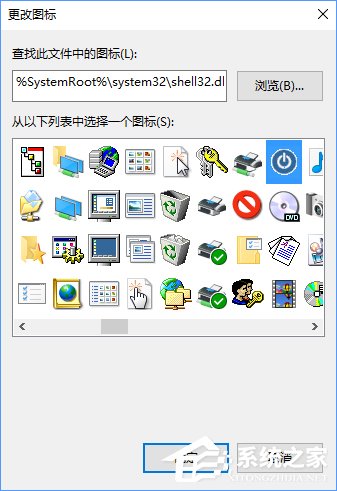
Win 10 內建 SlideToShutDown.exe 幻燈片關機介面。建立捷徑目標指向 %windir%\System32\SlideToShutDown.exe,點擊後向下滑動即可關機,儀式感滿分。
SlideToShutDown.exe
%windir%\System32\SlideToShutDown.exe
C:\Windows\System32\imageres.dll
Win10 查詢可升級目標版本:DISM 指令列出可用版本,技術預覽版可升級含媒體中心版
Win10 關閉/移除 Windows 功能元件:控制台程式與功能完整操作
Win10 10240 版啟用全螢幕開始選單(最大化模式)設定教學
Win10 禁止更新後自動重開機:登錄機碼 NoAutoRebootWithLoggedOnUsers 設定教學
Win10 禁用光碟機:裝置管理員停用光碟機驅動程式
Win10 瀏覽器字體亂碼?用開發人員工具定位問題字型並重裝
Windows 10 企業版下載安裝指南:微軟官網 ISO 映像檔取得完整流程
Windows 10 登錄編輯器快速定位同名項目新功能