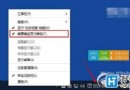
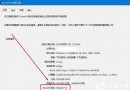
Windows 10 新增或重新命名資料夾導致檔案總管卡死/當機,解法與先前文章相同:
根因為 AutomaticDestinations 資料庫損毀,清除即可重建。若頻繁發生,建議定期清理或停用「最近使用的檔案」顯示(同頁籤取消勾選「在快速存取顯示最近使用的檔案」)。
AutomaticDestinations
Windows 10 設定檢查更新並自動安裝保持系統最新教學
Win10 更新/商店報錯 800706d9?啟用「Internet Connection Sharing」與「Windows Firewall」服務(啟動類型設為自動)
Win10 桌面底部空出一大排?Ctrl+滾輪縮小圖示 + 勾選「自動排列」秒修復
Win10 雙系統設定預設啟動項與等待時間:啟動選單與系統設定雙法
Win10 永久停用驅動程式強制簽名:BCD 編輯命令一鍵關閉/開啟,附進階啟動選單圖文替代方案
Windows 10 內建放大鏡工具執行檔路徑位置
Win10 如何降級安裝 IE10?透過「檢視已安裝的更新」移除 IE11 即可自動回歸 IE10
Win10 10240 累積更新 KB3074674 變化與用戶回饋彙整