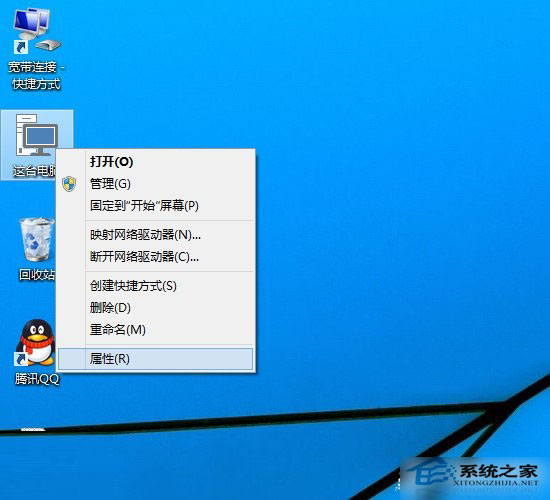
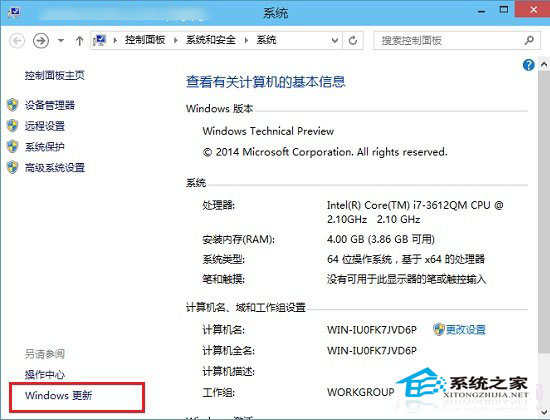
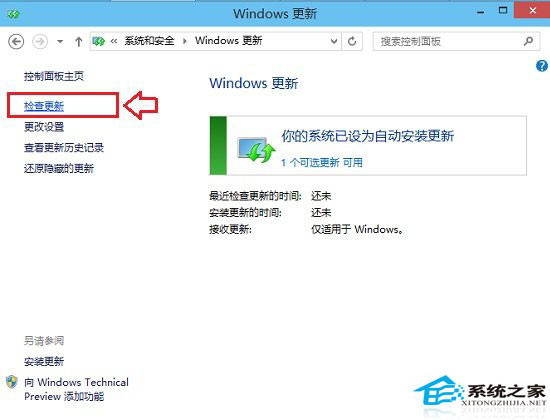
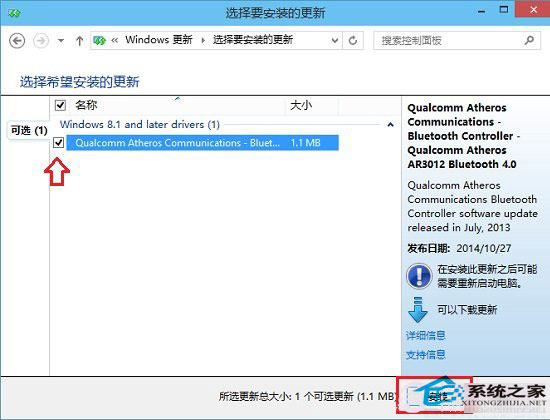
Windows 10 預覽版頻繁更新,設定自動檢查安裝可保持系統最新安全狀態。
保持更新可修復 Bug、提升相容性與安全性。
Win10裝機增速明顯放緩:首周漲177%→次周僅增30%
Win10 修改任務列縮圖預覽視窗大小登錄編輯教學
Win10 Chrome 首頁被 2345 篡改無法修改?Windows 清理助手修復 IE 設定同步修復 Chrome
Win 10 PowerShell 批量建立資料夾:mkdir $(1..10 | %{"IThome$_"}) 一鍵生成編號資料夾
Win10 Build 9926 新 UI 搶先看:多張高清截圖展示
Win10 更新/啟用錯誤 0x80072F8F:校正系統時間與網路連線
從桌面水印快速判斷 Win10 是否為正版/已啟用
Win10 系統自帶截圖工具失效?修復保存路徑即可解決