錯誤 0x80072F8F 為 SSL/TLS 憑證驗證失敗,核心原因通常是 系統日期時間嚴重偏差 (超過 5 分鐘) 導致憑證有效期驗證不通過。
解決步驟:
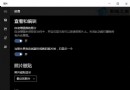
- Win + I → 「時間與語言」→「日期與時間」。
• 開啟 「自動設定時間」、「自動設定時區」。
• 若網路時間同步失敗,手動點選 「同步處理」 按鈕,或手動設定正確日期時間。
- 檢查主機板 CMOS 電池 (CR2032) 是否耗盡,導致關機後時間重置。
- 執行網路疑難排解:設定 → 網路與網際網路 → 狀態 → 「網路疑難排解」,修復 DNS/閘道問題。
- 若時間正確仍報錯,嘗試重設網路堆疊 (管理員 CMD):
netsh winsock reset && netsh int ip reset && ipconfig /flushdns
重新開機後再試。
修正時間後,Windows Update、Microsoft Store、瀏覽器 HTTPS 存取即可恢復正常。