Windows 10 內建應用(照片、郵件、計算機等)誤刪後,透過 PowerShell 批次重新註冊即可恢復:
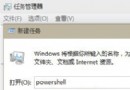
powershell → 右鍵「Windows PowerShell」→「以系統管理員身分執行」。Get-AppxPackage -AllUsers | Foreach {Add-AppxPackage -DisableDevelopmentMode -Register "$($_.InstallLocation)\AppXManifest.xml"}此指令掃描所有使用者的 AppX 安裝位置並重新註冊,相當於重新安裝但保留使用者設定與資料。適用於所有 Win10 版本。