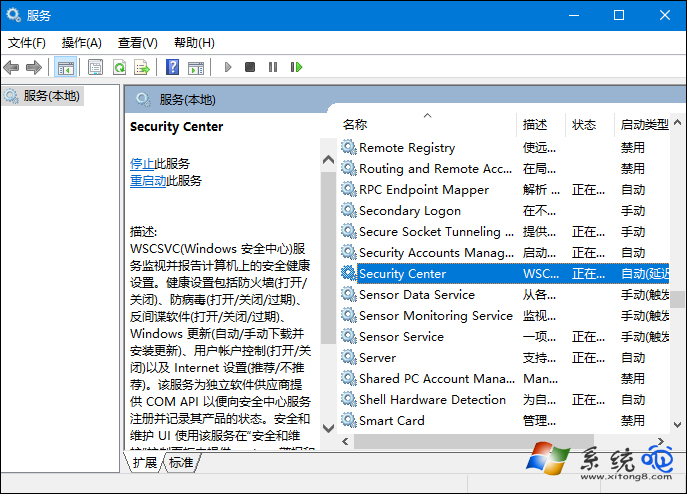
「無法啟動 Windows 安全中心服務」提示通常因 Security Center 服務被停用,或其相依服務 Remote Procedure Call (RPC)、Windows Management Instrumentation (WMI) 未運行導致。
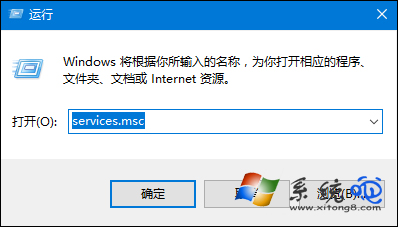
services.msc
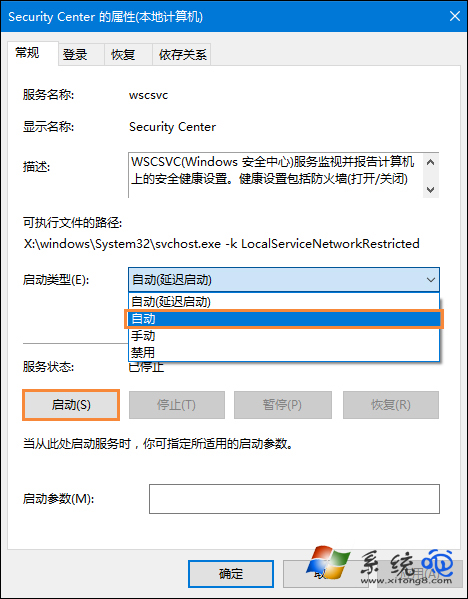
通常完成第 2 步即可解決;第 3 步為保險措施,確保相依服務鏈完整。
Win10 顯卡驅動修改後失去數位簽章怎麼安裝?停用強制簽章驅動安裝教學
Win10 英文版改中文版完整教學:下載語言包、設為預設、重開機三步驟
Win10 開機慢?啟用「快速啟動」大幅縮短開機時間
Win10 PowerShell 批次解除安裝內建應用:Get-AppxPackage | Remove-AppxPackage 一鍵淨化系統
Win10 執行 Qt 程式提示「找不到 mingwm10.dll」?加入環境變數 PATH 解決
Win10 睡眠喚醒後 WiFi 連不上?停用網卡省電模式徹底解決
Win10 如何修改或刪除網絡名稱:註冊表操作完整教學
Win10 設定「指定存取權」讓特定帳戶只能執行單一應用(展示/櫃檯模式)