cmd
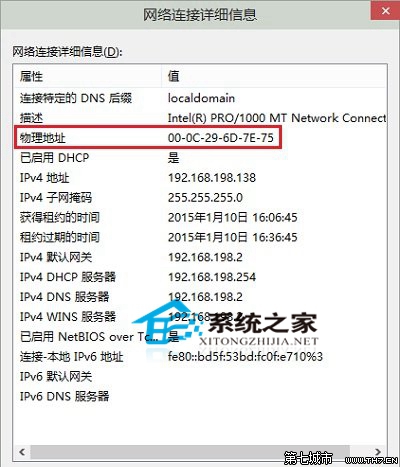
ipconfig /all
Win10 正式版使用 DISM 指令修復系統檔案教學:線上映像修復完整指南
Win10 更新失敗錯誤 80240016?重啟 Windows Update 服務即可解決
Win10 使用 DISM 指令修復系統檔案完整教學:線上映像修復與自訂來源
Win10 Edge 安裝 LastPass 密碼管理擴充功能:從應用商店七步上手
Win10 提升開機速度:管理啟動項與註冊表優化
升級 Windows 10 正式版後 Office 2013 失效?兩種情境完整重新啟用教學
Win10 紅石版 Edge 新擴充功能「Turn Off the Lights」:一鍵調暗網頁、搭配深色主題護眼
Win10 輸入法切換完全指南:預設熱鍵、自訂快捷鍵、任務列切換