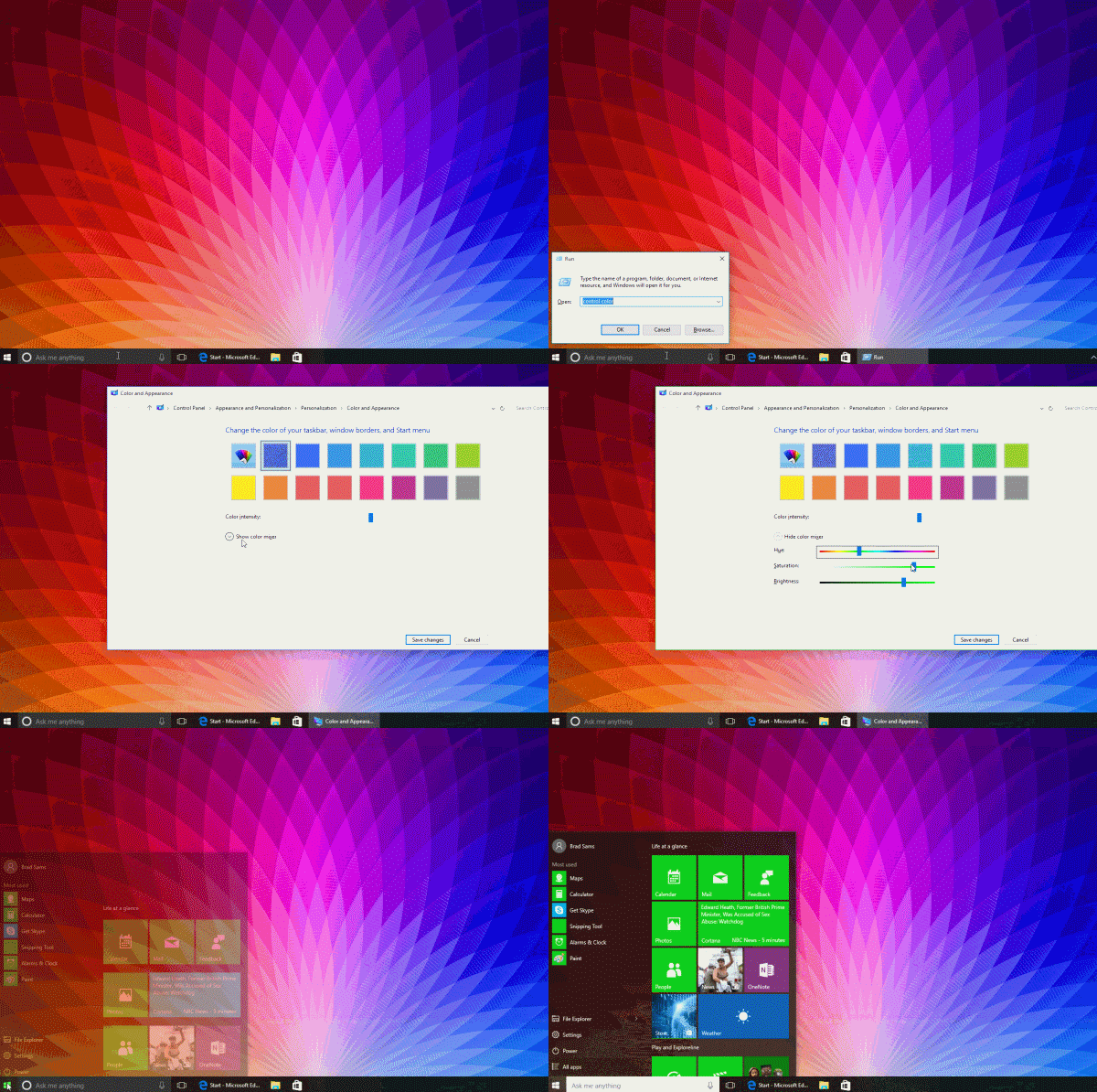
Win10 允許調整系統色調,但設定介面未直接提供自訂色調選項。透過控制台的「色彩管理」仍可達成:
Control Color
即可擁有專屬的系統主題色調,讓介面更具個人風格。
Win10 開機提示 dfrgfat.exe 應用程式錯誤?清除 WMI 儲存庫並重啟服務修復
Win10 一鍵清除 Microsoft Store 快取:wsreset 指令
Win10 如何延遲更新?啟用「延遲升級」選項推遲功能更新
Win10 寬帶連線錯誤 691 完整排查與解決指南
Win10 Word 2016 無法開啟 PDF?以系統管理員身分執行即可解決
Windows 10 管理 IE 瀏覽器增益集 (附加元件) 教學
Win10 休眠喚醒變重新開機?關閉「快速啟動」徹底解決
Win10 如何將「執行」固定到開始選單?CLSID 建立捷徑法