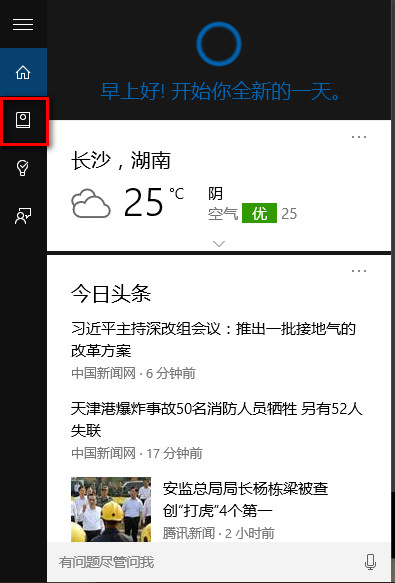
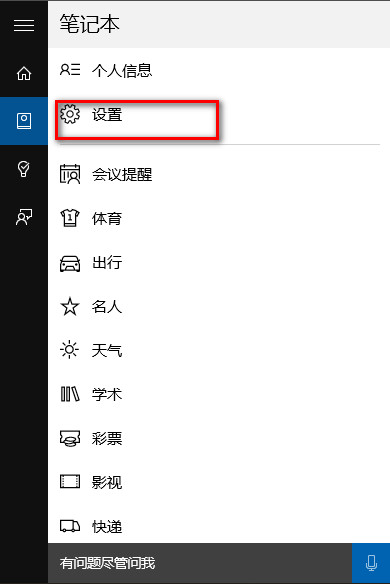
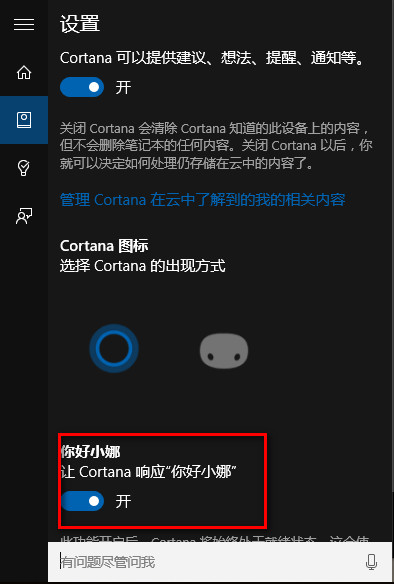
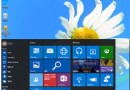
想用聲音喚醒小娜?只需幾步即可啟用「嘿,小娜」語音啟動功能。
完成後,對著麥克風說「你好小娜」,語音助手即會喚醒聆聽指令。
Win10 QQ 群檔案下載失敗?QQ 設定→安全選項調整為最低等級
什麼是索引?Win10 透過群組原則啟用「停用索引器回退」加快搜尋速度
Win10 10586.318 累積更新出現 Bug:導致電腦運行緩慢,微軟建議暫時關閉 Cortana
Windows 10 切換本機帳戶至 Microsoft 線上帳戶教學
Win10 Build 10240.17071 (RTM) 累積更新內容完整彙整
Win10 寬帶撥號錯誤 691 八大成因與對策:帳密、欠費、MAC 綁定全覆蓋
Win10 如何透過系統設定優化開機速度?msconfig 設定選擇性啟動與處理器核心數加速啟動
Win10 10532 版本更新失敗怎麼辦?關閉 Hyper-V 功能即可解決衝突