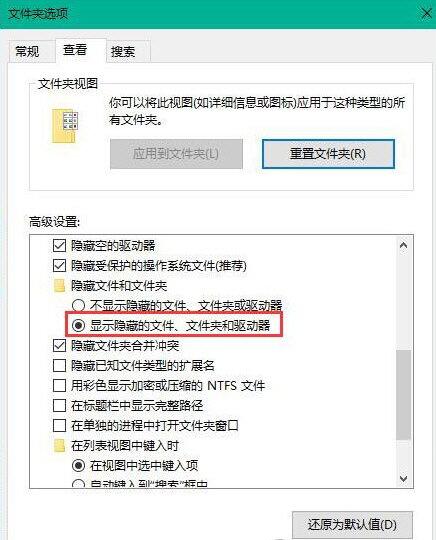
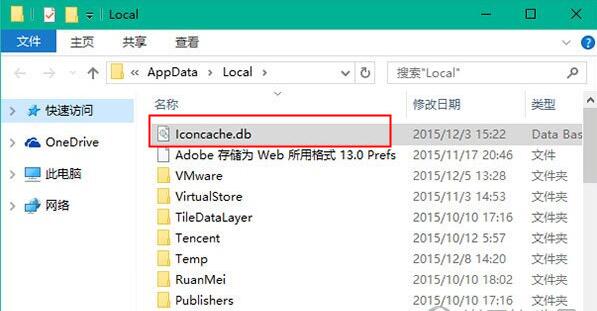
圖示異常多因 IconCache.db 損壞,刪除重建即可修復。
IconCache.db
%localappdata%
系統會自動重建快取,圖示恢復正常。
Win10 裝置管理員找不到網路介面卡?完整排查與硬體重置法
Win10 變更桌面與暫存資料夾路徑:釋放系統碟空間完整教學
Win10 內建掛載/彈出 ISO 鏡像檔:檔案總管與 PowerShell 兩種方法
Win10 藍屏錯誤代碼 0x000000D1 (DRIVER_IRQL_NOT_LESS_OR_EQUAL) 完整成因分析與軟硬體分級修復指南
Win10 小娜會玩成語接龍?語音輸入「成語接龍」即刻開戰
Windows 10 技術預覽版如何取消桌面應用程式啟動延遲?登錄新增 StartupDelayInMSec 加速進入桌面
Windows 10 管理 IE 瀏覽器增益集 (附加元件) 教學
Win10 輸入法想變回 Win7 風格 (美式鍵盤預設 + Ctrl+Shift 切換)?完整登錄大法