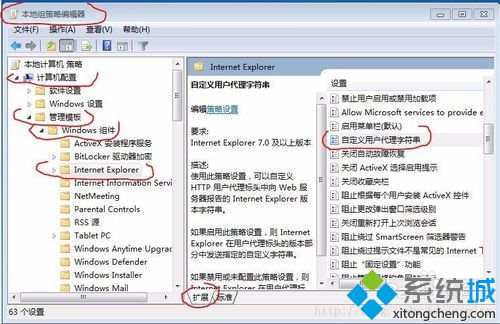
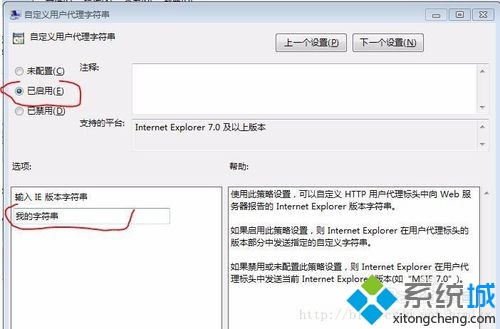
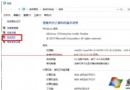
Windows 10 使用支付寶網頁版提示「目前操作環境不支援支付寶控件」,可透過群組原則設定 Internet Explorer 自訂 User-Agent 字串模擬 IE8 相容模式解決。
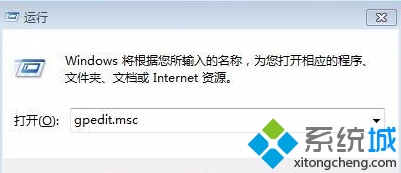
gpedit.msc
Mozilla/4.0 (compatible; MSIE 8.0; Windows NT 6.1; Trident/4.0)
此法透過模擬舊版 IE 相容模式繞過支付寶控件檢測。
Win10 開啟資料夾緩慢解決方案:註冊表關閉最後存取時間更新 + 關閉媒體預覽處理器 + 基礎環境排查
Win10 將常用「設定」頁面釘選到開始選單:大頭針圖示一鍵固定
Win10 內建應用程式變英文介面的解決方法
Win10 Build 9879 關閉快速啟動,避免硬碟潛在損壞風險
Win10 Build 10130 工作列彈出視窗失效 Bug:微軟釋出修補補丁,已知問題含郵件程式崩潰、WiFi 失效
Win10 一開機就黑屏怎麼辦?硬體/軟體雙向排查與禁用鎖定畫面
Microsoft Edge 啟用 TCP Fast Open 加速網頁載入:about:flags 實驗性功能設定
Win10 預覽版啟用開始選單「跳躍清單」:登錄新增 EnableXamlJumpView=1 讓右鍵顯示最近檔案