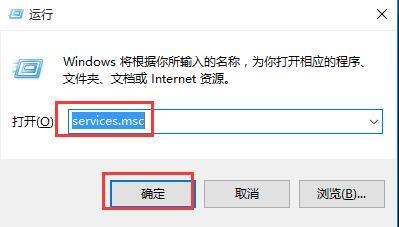
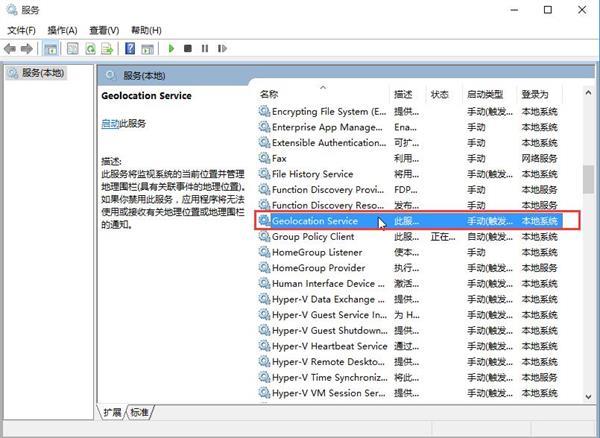
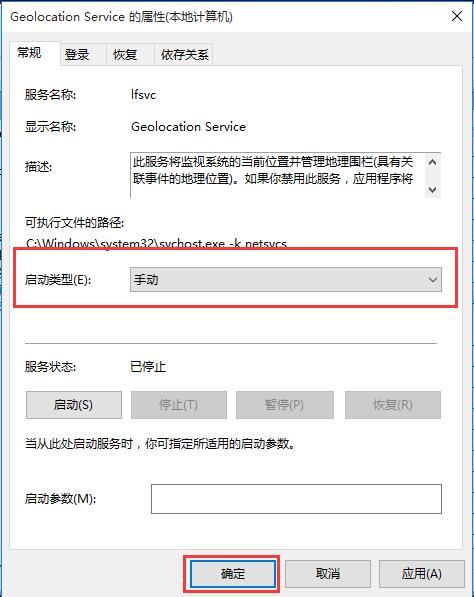
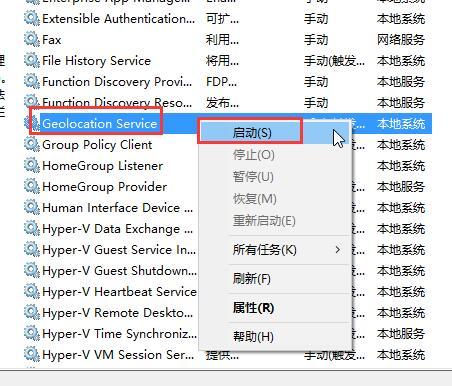
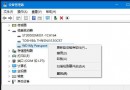
Windows 10 定位功能 (位置服務) 無法開啟,通常是 Geolocation Service (地理定位服務) 停用或設為手動且未執行。透過服務管理工具啟用即可。
Geolocation Service
services.msc
若服務啟動後仍無法開啟定位,請檢查「位置」隱私權設定是否允許應用程式存取位置資訊。
Win10 新增網路印表機完整教學:憑據管理器儲存密碼 + Local Port 連接 + 驅動安裝
Win10 安裝卡在 BIOS 檢測不通過?教你快速解決
Win10 清空剪貼簿建立桌面捷徑:一鍵釋放大量複製佔用記憶體
Win10 內建放大鏡啟用教學:設定 → 輕鬆使用 → 放大鏡,支援全螢幕/鏡頭/固定模式
Win10 網頁 HTTP 403 Forbidden 錯誤成因完整分析:九大子錯誤代碼對照與排查方向
Win10 安全模式無法建立新帳號?命令列指令快速解決
Windows 10 滑鼠無法拖曳檔案的四大原因與解決辦法
華碩 (ASUS) 筆電升級 Windows 10 藍畫面死機解決方案:更新官網驅動程式