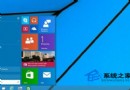
Build 10056 任務列、開始按鈕、通知中心預設變黑,更貼近 WP 風格。透過註冊表可擴大暗黑範圍至更多系統應用(設定、計算機、鬧鐘等)。
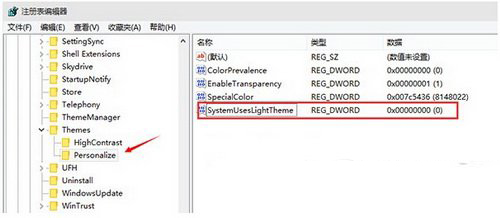
regedit。HKEY_CURRENT_USER\SOFTWARE\Microsoft\Windows\CurrentVersion\Themes\Personalize。SystemUsesLightTheme。0(預設即為 0)。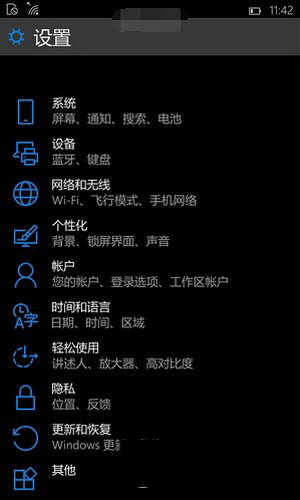
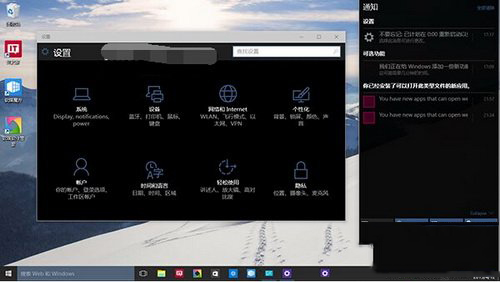
完成後多數系統應用背景變黑,體驗更接近 Windows Phone 風格。
Win10/8.1 恢復右鍵「新增」選單中的「公文包」:匯入登錄檔
Win10 更新導致 Wi-Fi 失效問題修復方案 (KB3069066)
Win10 右鍵「新增」無「資料夾」?修正 New 鍵值 GUID 恢復選單
Win10 檔案總管實用隱藏技巧 10 選:ISO 掛載、地址列移動、路徑顯示、擴展發送到、網路地圖、核取方塊選取、快速存取工具列自訂
Win10 開機記憶體佔用過高?匯入登錄檔關閉 TimeBroker 與 SysMain
Windows 10 專業版如何關閉自動更新?服務管理員停用 Windows Update 服務