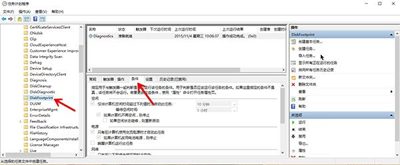
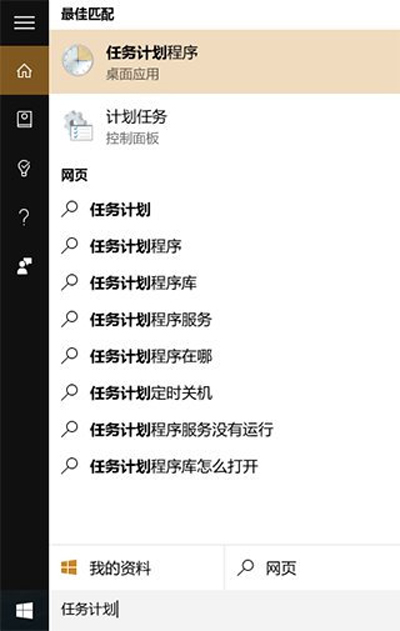
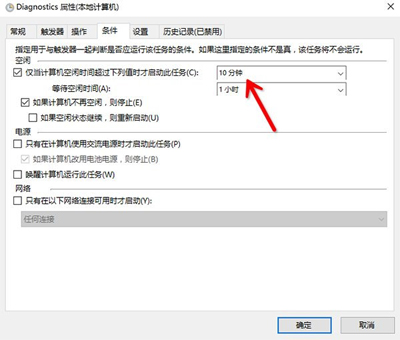
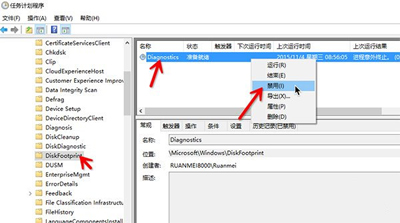
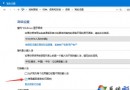
Win10 Insider 10576 版本:電腦閒置 ~10 分鐘會彈出 disksnapshot.exe CMD 視窗,疑為硬碟快照診斷任務 Bug 導致前景顯示。解決法:
disksnapshot.exe
taskschd.msc
此任務觸發條件為「每 10 分鐘喚醒一次」,停用後不再彈窗。微軟已在 10586 修正此問題。
Win10 直接永久刪除文件不進回收站:兩種方法詳解
Win10 攝影機打不開怎麼辦?檢查驅動程式與隱私權設定雙管齊下
Win10 Edge 瀏覽器設定首頁(啟動頁面)完整教學
Win10 計算機介面變英文?一鍵切回中文介面教學
Win10 開啟 Windows Defender 提示 0x80070422 錯誤?啟動相關服務即可解決
Win 10 開始選單/小娜無法開啟?三大臨時修復法:重開機、手動啟動 ShellExperienceHost、強制重啟進程
Win7/Win8.1 關閉 Windows 10 免費升級提示(解除安裝 KB3035583 並封鎖 GWX)
筆電升級 Win10 後開機黑屏?硬體與軟體雙向排查清單