記事本體積小、啟動快、純文字特性強,遠不止記事工具。掌握這 10 招,讓它成為您的效率利器。
第一行輸入 .LOG(大寫、含點),儲存。每次開啟自動在末尾插入目前日期時間,適合工作日誌、除錯記錄。
「格式」→ 勾選「自動換行」。長行文字依視窗寬度換行,閱讀無需水平捲動。
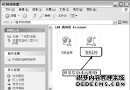
%windir%\system32\notepad.exe → 右鍵「內容」→「捷徑」頁籤。demo.html(副檔名 .html/.htm)。複製網頁/Word 內容 → 貼上記事本 → 全選複製 → 貼回目標編輯器。所有富文字格式、圖片、表格自動剝離,僅留純文字。
@echo off
copy e:\movie.mp4 d:\
存為 copy_movie.bat 執行。原理:批次檔直接呼叫系統 copy 指令,避開檔案總管 UI 開銷,大檔案效能差異顯著。
@echo off
echo 正在清除系統垃圾檔案,請稍候...
del /f /s /q %systemdrive%\*.tmp
del /f /s /q %systemdrive%\*._mp
del /f /s /q %systemdrive%\*.log
del /f /s /q %systemdrive%\*.gid
del /f /s /q %systemdrive%\*.chk
del /f /s /q %systemdrive%\*.old
del /f /s /q %systemdrive%\recycled\*.*
del /f /s /q %windir%\*.bak
del /f /s /q %windir%\prefetch\*.*
rd /s /q %windir%\temp & md %windir%\temp
del /f /q %userprofile%\cookies\*.*
del /f /q %userprofile%\recent\*.*
del /f /s /q "%userprofile%\Local Settings\Temporary Internet Files\*.*"
del /f /s /q "%userprofile%\Local Settings\Temp\*.*"
del /f /s /q "%userprofile%\recent\*.*"
echo 清理完成!
pause
存為 清理垃圾.bat(編碼 ANSI/UTF-8 with BOM),右鍵「以系統管理員身分執行」。謹慎使用:包含 del /s 遞迴刪除,確認路徑無誤再執行。
命令列:type nul > filename.txt 或記事本存檔即可。
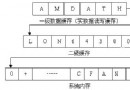
^t → 取代為空白 → 全部取代。\t → 勾選「逸出序列」→ 全部取代。「另存新檔」→ 編碼下拉選單:ANSI、UTF-8、UTF-16 LE/BE、Unicode big endian 互轉,處理亂碼檔案極為方便。
| 工具 | 特色 |
|---|---|
| Notepad++ | 語法高亮、多標籤、外掛豐富、免費開源 |
| VS Code | IntelliSense、Git 整合、擴充套件生態、跨平台 |
| EmEditor | 巨大檔案(GB 級)開啟極快、CSV 模式、巨集錄製 |
| Sublime Text | 多游標編輯、命令面板、極速啟動 |