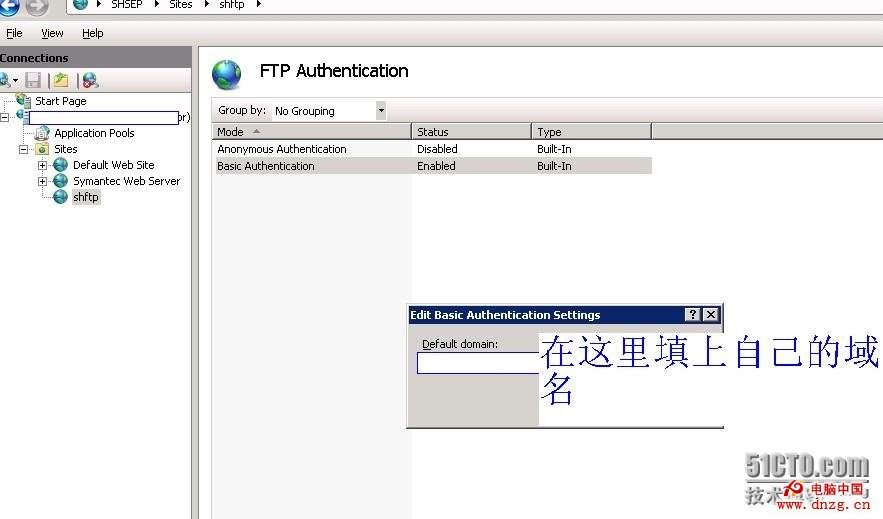
Windows Server 2008 內建 FTP 服務 (IIS 7.0/7.5) 原生支援網域使用者認證,無需第三方 FTP 軟體。關鍵在於 FTP 授權規則設定:
DOMAIN\FTP_Users
設定完成後,網域使用者即可使用網域帳號密碼登入 FTP,權限由 NTFS 檔案系統 ACL 與 IIS 授權規則雙重控制,安全且易管理。
Windows Server 2012 SMB 3.0 與舊版系統檔案共享互操作全解析
Windows Server 2008 R2 取消開機/關機按 Ctrl+Alt+Del 登入設定
Windows Server 2012 遷移關鍵步驟與最佳實務
Windows Server 2003 R2 IIS 架設 WebDAV 完整教學
Windows Server 2012 棄用與移除功能完整指南
Windows Server 2008 遺失密碼離線重置實戰指南
Serv-U FTP 伺服器建立帳號與權限設定圖文教學
Windows Server 2003 磁碟配額設定教學:限制使用者磁碟使用量