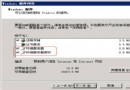
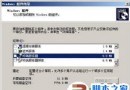
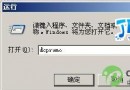
啟動 IIS 時彈出「發生意外錯誤 0x8ffe2740」,主因為 TCP 80 埠已被其他程式佔用。
netstat -abn > c:\port80.txt
c:\port80.txt,搜尋本機 IP 後接 :80(如 192.168.1.101:80),最右欄即為佔用程式名稱(PID/進程名)。| 程式 | 解決方式 |
|---|---|
| Apache / Nginx | 修改 httpd.conf / nginx.conf 的 Listen 指令為其他埠(如 8080) |
| Skype | 工具 → 選項 → 進階 → 連線 → 取消勾選「使用埠 80 和 443」 |
| VMware Workstation | 編輯 → 偏好設定 → 共用 VM → 變更 HTTP 埠 |
| SQL Server Reporting Services | Reporting Services 設定管理器 → Web 服務 URL → 埠號修改 |
Windows 內建「資源監視器」(resmon.exe)→ 網路索引標籤 → 聆聽埠,可視化查看 PID 與進程名,更直觀。
釋放埠 80 後 IIS 即可正常啟動。建議將 IIS 設為自動啟動,並在伺服器規劃階段預先分配埠口,避免衝突。
Windows 2003/XP 設定 ISATAP 隧道取得 IPv6 位址完整教學
ISA Server 防火牆監視功能使用教程:會話、日誌與儀表板分析
Windows XP/Server 2003 安裝 KB2686509 補丁失敗的排查與修復方法
Windows Server 2003 版本特性對比與選型指南(標準版/企業版/數據中心版)
Windows Server 2003 自動登入設定圖文教學(兩種方法)
Windows 2000/2003 刪除預設共享(C$、D$、ADMIN$、IPC$)三種方法:批次檔、啟動資料夾、登錄檔永久停用