Windows XP Windows 7 Windows 2003 Windows Vista Windows 綜合教學 Linux 系統教學
Windows 10 Windows 8 Windows 2008 Windows NT Windows Server 電腦軟體教學
您现在的位置: Windows教程網 >> Windows教程 >  >> Windows Server 系統教學 >> Server 2003

Windows Server 2003 破解正版驗證安裝 Windows Media Player 11 手動解壓法

編輯:Server 2003

Windows Server 2003 安裝 Windows Media Player 11 (WMP11) 會強制進行正版驗證 (WGA),盜版系統無法通過。解決方法:手動解壓安裝包,依序執行核心安裝元件,繞過 WGA 檢查。

操作步驟

  1. 下載 WMP11 完整安裝包 (wmp11-windowsxp-x86-CHT.exe 或對應版本)。
  2. 使用 WinRAR/7-Zip 解壓縮安裝包 (非執行),獲得多個檔案。
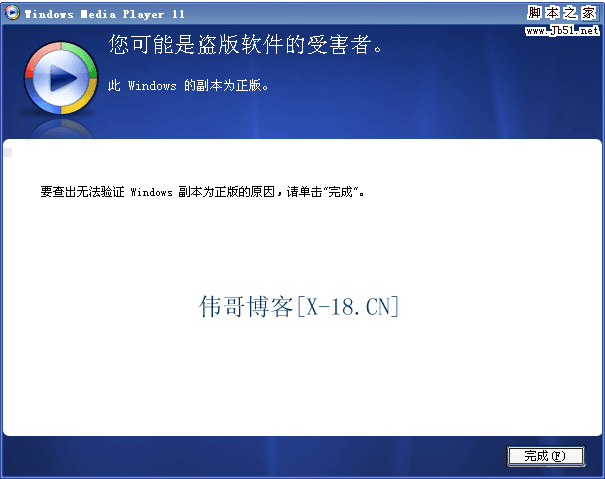
    WGA 驗證失敗畫面
  3. 依照 以下順序 執行四個核心檔案:
    1️⃣ umdf.exe (使用者模式驅動架構)
    2️⃣ wmdbexport.exe (媒體資料庫匯出工具)
    3️⃣ wmfdist11.exe (Windows Media Format 11 執行元件)
    4️⃣ wmp11.exe (Windows Media Player 11 主程式)
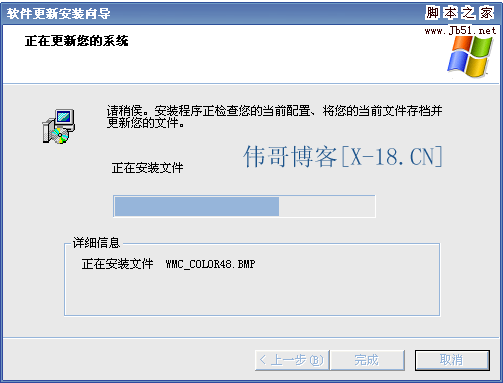
    相容模式提示
  4. 安裝過程若提示相容性問題,右鍵檔案 → 「內容」→「相容性」→ 勾選「以相容模式執行」→ 選擇「Windows XP」→ 確定後重試。
    升級對話框
  5. 執行至 wmp11.exe 時出現「升級 Windows Media Player 10 到 11」對話框,確認升級。
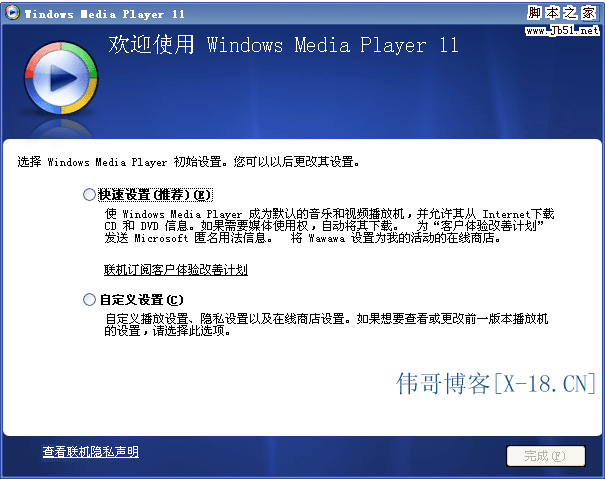
  6. 完成後開啟 WMP,確認版本為 11.0.5721.5145 (或更新)。
    WMP 11 版本確認

核心元件說明

檔案功能必要性
umdf.exeUser-Mode Driver Framework 1.9必要,WMP11 依賴 UMDF 裝置互動
wmdbexport.exe媒體資料庫匯出/遷移工具必要,支援舊版資料庫升級
wmfdist11.exeWindows Media Format 11 Runtime核心,編解碼器、DRM、串流支援
wmp11.exeWindows Media Player 11 主程式核心,播放器介面與功能

注意事項

  • ⚠️ 順序不可顛倒,底層元件優先安裝。
  • ⚠️ 安裝過程可能彈出相容性警告,統一設為「Windows XP」相容模式。
  • ⚠️ 此法繞過 WGA 驗證,屬非授權安裝,僅供測試/學習/個人研究使用。
  • 🏭 生產/商業環境請購買正版 Windows 授權,獲得完整更新支援。
  • 🔄 WMP 11 為 Windows Server 2003 最後支援版本,後續版本 (WMP 12+) 僅支援 Vista/Win7+。
Copyright © Windows教程網 All Rights Reserved