Windows XP Windows 7 Windows 2003 Windows Vista Windows 綜合教學 Linux 系統教學
Windows 10 Windows 8 Windows 2008 Windows NT Windows Server 電腦軟體教學
您现在的位置: Windows教程網 >> Windows教程 >  >> Windows Server 系統教學 >> Server 2003

Windows 2003/XP 設定 ISATAP 隧道取得 IPv6 位址完整教學

編輯:Server 2003

Windows Server 2003 / XP 透過 ISATAP 隧道技術自動取得 IPv6 位址,適用於校園網/企業網 IPv6 部署環境。
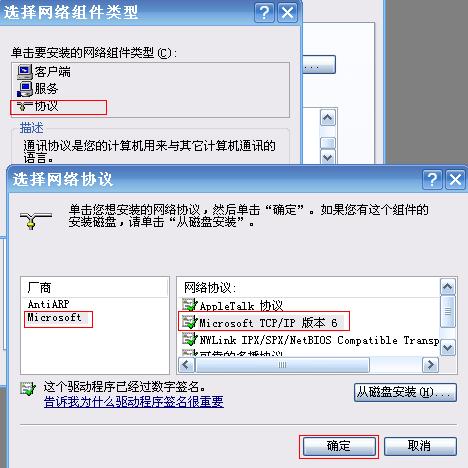
第一階段:安裝 IPv6 協定

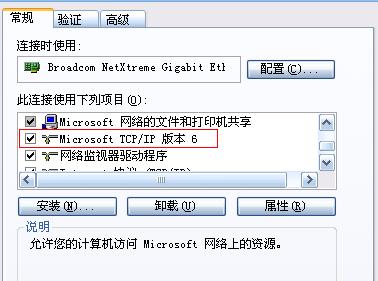
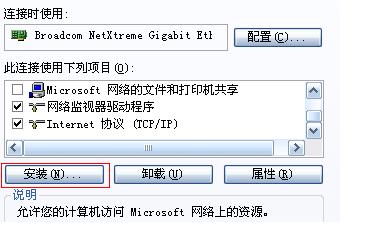
  1. 「網路連線」→「本地連線」右鍵「內容」→「安裝」→「協定」→「Microsoft」→「Microsoft TCP/IP 版本 6」→確定安裝。

第二階段:命令列配置 ISATAP 隧道

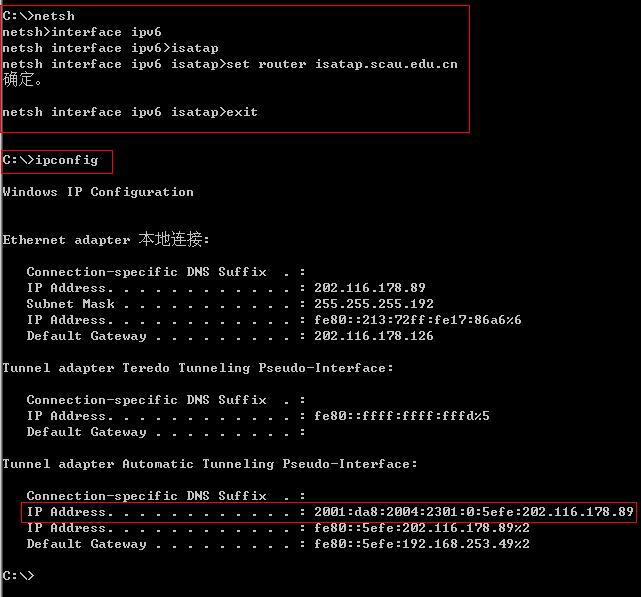
  1. Win + R → cmd 進入命令提示字元。
  2. 輸入 netsh 進入網路殼層。
  3. 執行:interface ipv6 isatap> set router isatap.yourdomain.com
    (將 isatap.yourdomain.com 替換為您的 ISATAP 路由器 FQDN 或 IP,如範例 isatap.scau.edu.cn)。
  4. 輸入 ipconfig 驗證,應看到前綴 2001:da8:2004:2001::/64 的 IPv6 位址,Interface ID 為 5efe:IPv4位址 格式。
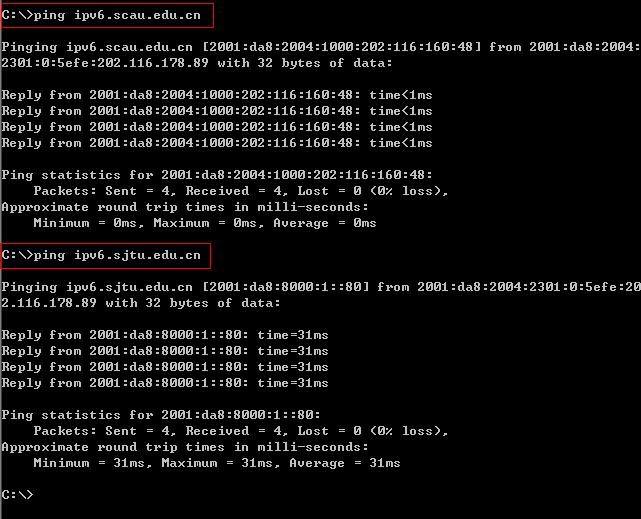
第三階段:測試 IPv6 連通性

ping ipv6.yourdomain.com 或 ping -6 www.google.com,收到回應即代表隧道建立成功。
取消隧道: netsh interface ipv6 isatap> set router isatap.yourdomain.com disabled

Copyright © Windows教程網 All Rights Reserved